How To Write A YouTube Description: Uploading a great YouTube video isn’t enough anymore. Every minute, creators publish hundreds of hours of content, all competing for attention. Even if your video is well-edited and your thumbnail grabs attention, a weak description can reduce your chances of appearing in YouTube Search and Google Search.
A well-written YouTube description helps both viewers and YouTube understand exactly what your content is about. It provides context, improves discoverability, encourages longer watch sessions, and gives viewers additional resources such as timestamps, playlists, social links, and product recommendations. According to YouTube’s official documentation, descriptions help the platform understand your content, and placing important keywords naturally in the first few lines can improve discoverability. Each description can contain up to 5,000 characters, making it one of the most valuable SEO assets available to creators.
This guide explains exactly how successful creators write descriptions that attract clicks, improve rankings, and support long-term channel growth.
What Is a YouTube Description?
A YouTube description is the block of text displayed beneath every video. While many creators treat it as an afterthought, it’s actually one of the most important pieces of video metadata.
Its job isn’t simply to summarize the video. Instead, it helps YouTube categorize your content, understand its topic, and match it with viewers searching for similar information. The first few lines are especially important because they appear before users click “Show More.” These opening lines should clearly explain the video’s topic while naturally including your primary keyword.
A quality description often includes:
- A compelling summary
- Primary keyword
- Secondary keywords
- Video chapters
- Links to related videos
- Playlists
- Website links
- Affiliate disclosures
- Social media
- Calls-to-action
Think of your description as the bridge between your title and your content. The title attracts attention, while the description confirms relevance.
Why Your YouTube Description Matters?
Many creators spend hours designing thumbnails but only a few seconds writing descriptions. That’s a missed opportunity.
Descriptions help viewers understand what they’ll learn before they even press Play. They also provide valuable context for YouTube’s recommendation systems.
Benefits include:
- Better search visibility
- Higher viewer confidence
- Improved session watch time
- Easier indexing by Google
- More clicks on related resources
- Increased subscriber conversions
YouTube itself recommends writing unique descriptions for every upload rather than copying the same text repeatedly. Unique descriptions make videos easier to understand and distinguish from similar content.
How the YouTube Algorithm Uses Descriptions?
Contrary to popular myths, YouTube doesn’t rank videos based only on views or subscribers.
Descriptions provide context that helps the algorithm understand:
- Topic
- Audience
- Intent
- Related keywords
- Search relevance
When someone searches “how to write YouTube descriptions,” YouTube compares multiple signals including:
- Title
- Description
- Thumbnail
- Viewer behavior
- Watch time
- Engagement
Descriptions work together with titles rather than replacing them.
Another important point is that YouTube recommends placing your most important keywords naturally near the beginning of the description. Avoid keyword stuffing because excessive repetitive keywords can reduce readability and violate spam policies.
Do YouTube Descriptions Help SEO?
Yes—but not in the way many people think.
Descriptions won’t magically push poor videos to the top of search results. Instead, they improve YouTube’s understanding of your content, making it easier to match your video with relevant searches.
A strong SEO description should:
- Explain exactly what the video covers.
- Include the primary keyword once in the opening section.
- Naturally use related phrases throughout.
- Link to relevant videos and playlists.
- Encourage viewers to continue watching.
Creators also benefit from using keyword research tools such as Google Trends, Google Keyword Planner, TubeBuddy, VidIQ, and the Research tab inside YouTube Analytics to identify terms their audience is already searching for.
Best Length for YouTube Descriptions
One of the biggest questions creators ask is, “How long should my YouTube description be?” The answer isn’t about using all 5,000 available characters. Instead, focus on writing enough useful information to help both viewers and YouTube understand your content.
For most videos, 200–400 words is an excellent target. That gives you enough space to explain what the video covers, naturally include your primary keyword, add related keywords, insert timestamps, include helpful links, and encourage viewers to take action. Short descriptions often miss valuable SEO opportunities, while overly long descriptions filled with repetitive keywords can hurt readability.
A practical structure looks like this:
- First 2–3 lines: Explain what the video is about and include your primary keyword.
- Middle section: Add supporting details, secondary keywords, timestamps, and resources.
- Final section: Include playlists, website links, social media, affiliate disclosures (if needed), and a call to action.
Always write for people first. If the description answers viewers’ questions clearly, it will naturally perform better than one written only for search engines.
Where Should Keywords Be Placed?
Keyword placement matters more than keyword repetition.
The primary keyword should appear naturally within the first two or three sentences because these are visible before users click “Show More.” This helps both viewers and YouTube immediately understand your video’s topic.
A good keyword strategy looks like this:
- Use the primary keyword once in the introduction.
- Include related keywords naturally throughout the description.
- Mention important entities such as YouTube Studio, Google Trends, TubeBuddy, or VidIQ when they genuinely fit the topic.
- Avoid stuffing the same keyword repeatedly.
For example, if your target keyword is How to Write a YouTube Description That Gets Views, related phrases like YouTube SEO, video description, YouTube keywords, YouTube optimization, and increase YouTube views can appear naturally throughout the content.
Think of keywords as road signs—they should guide both readers and search engines without distracting from the overall journey.
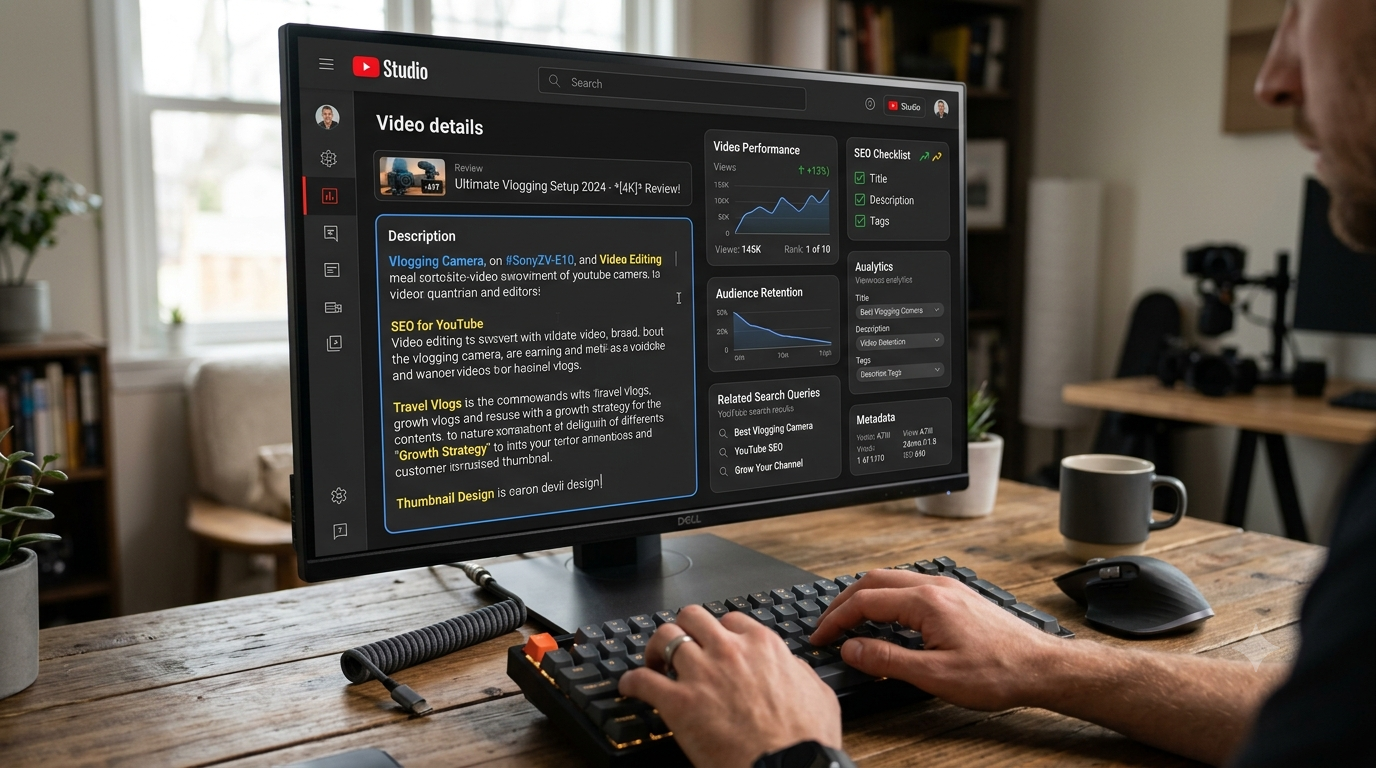
How to Write a YouTube Description That Gets Views (Step-by-Step)
Step 1: Start With a Strong Opening
The first few lines determine whether someone keeps reading. Immediately tell viewers what they’ll learn from your video.
Example:
Learn how to write a YouTube description that gets views using proven SEO strategies, keyword placement tips, and creator best practices that can help improve your video’s visibility.
This opening clearly explains the value of the video while naturally including the target keyword.
Step 2: Describe the Video Clearly
Avoid vague descriptions like:
“Hope you enjoy this video.”
Instead, explain exactly what’s inside.
For example:
This tutorial shows you how to research YouTube keywords, write SEO-friendly descriptions, use timestamps correctly, and optimize every upload for better search visibility.
Clear descriptions improve user experience and help YouTube categorize your content.
Step 3: Add Relevant Keywords Naturally
Your description should sound like a real person wrote it.
Instead of forcing keywords into every sentence, write naturally and include related phrases where they make sense.
Good examples include:
- YouTube description SEO
- Video optimization
- YouTube search ranking
- YouTube creator tips
- YouTube content strategy
- Increase YouTube views
If the description reads smoothly out loud, you’re usually on the right track.
Step 4: Add Timestamps
Timestamps improve the viewing experience by helping people jump directly to the information they need.
Example:
00:00 Introduction
01:12 Why Descriptions Matter
03:45 Keyword Placement
06:30 Description Template
09:15 Common Mistakes
12:40 Final Checklist
Videos with clear chapters often encourage longer watch sessions because viewers can quickly find relevant sections.
Step 5: Include Helpful Links in the Description
Your description isn’t just for SEO—it’s also a valuable navigation tool.
Useful links may include:
- Related YouTube videos
- Playlists
- Your website
- Newsletter
- Free resources
- Affiliate products (with proper disclosure)
- Creator tools you personally recommend
Avoid filling the description with dozens of unrelated links. Every link should provide genuine value.
Step 6: Finish With a Clear Call to Action
Never leave viewers wondering what to do next.
Simple CTAs include:
- Subscribe for weekly YouTube growth tips.
- Watch the next video in this playlist.
- Leave your biggest YouTube question in the comments.
- Download the free checklist below.
Strong calls to action can increase engagement, watch time, and subscriber growth.
Poor Description vs SEO-Optimized Description
| Feature | Poor Description | SEO-Optimized Description |
|---|---|---|
| Opening | “Watch my new video.” | Explains the topic and includes the primary keyword naturally. |
| Keywords | Stuffed or missing | Naturally placed throughout the text. |
| Value | Very little information | Clearly explains what viewers will learn. |
| Links | None | Includes helpful playlists and resources. |
| Timestamps | Missing | Added for better navigation. |
| CTA | None | Encourages viewers to subscribe or watch another video. |
Common Mistakes That Hurt YouTube SEO
Many creators unknowingly reduce their video’s visibility by making avoidable mistakes.
Some of the most common include:
- Copying the same description for every upload.
- Stuffing keywords unnaturally.
- Ignoring the first two visible lines.
- Forgetting timestamps.
- Using misleading descriptions.
- Adding dozens of unrelated hashtags.
- Including broken or outdated links.
- Never updating older descriptions.
Your description should evolve as your channel grows. Revisiting older videos and improving their descriptions can sometimes increase search traffic without creating new content.
Expert Tips
- Write for humans before search engines.
- Place the primary keyword near the beginning.
- Use conversational language.
- Add timestamps whenever possible.
- Link to related videos to extend watch sessions.
- Review YouTube Analytics to see which videos bring search traffic.
- Update descriptions if the video’s purpose changes or new resources become available.
Quick Checklist
| Task | Completed |
|---|---|
| Primary keyword included naturally | ✓ |
| Clear summary in first two lines | ✓ |
| Secondary keywords added naturally | ✓ |
| Timestamps included | ✓ |
| Helpful links added | ✓ |
| Call to action included | ✓ |
| Grammar and spelling checked | ✓ |
| Description sounds human | ✓ |
Description Templates for Different YouTube Niches
One of the easiest ways to save time and maintain consistency is by using a proven YouTube description template. Instead of writing every description from scratch, create a structure you can customize for each upload. The goal isn’t to copy and paste the exact same text every time, but to follow a format that includes all the essential SEO elements.
A high-converting description usually contains:
- A compelling introduction
- A short summary of the video
- Relevant keywords used naturally
- Timestamps (if applicable)
- Helpful links
- A clear call-to-action
- Relevant hashtags
Below are niche-specific templates you can adapt for your own videos.
Gaming Niche Description Template
🎮 In this video, you’ll watch [Game Name] gameplay featuring [Challenge/Mode]. I’ll share strategies, hidden tips, and gameplay techniques that can help you improve your skills.
⭐ Topics Covered:
- Gameplay walkthrough
- Best settings
- Pro tips
- Hidden secrets
👉 Subscribe for more gaming content every week.
#Gaming #YouTubeGaming #Gameplay
Tech Niche Description Template
Looking for an honest review of [Product Name]? This video covers its features, performance, pros, cons, pricing, and whether it’s worth buying in 2026.
In this video, you’ll learn:
- Key specifications
- Real-world performance
- Buying advice
- Alternatives
Subscribe for weekly tech reviews and tutorials.
Education Niche Description Template
Want to learn [Topic] quickly and easily? This tutorial explains everything step by step using beginner-friendly language and practical examples.
You’ll discover:
- Core concepts
- Practical demonstrations
- Common mistakes
- Expert tips
If you found this lesson helpful, don’t forget to subscribe for more educational content.
Business Niche Description Template
This video explains practical business strategies that entrepreneurs can apply immediately.
Inside this video:
- Business growth ideas
- Marketing techniques
- Customer acquisition
- Productivity tips
Subscribe for weekly business insights.
Finance Niche Description Template
Learn how to manage money smarter with this detailed finance guide.
Topics include:
- Budgeting
- Investing basics
- Saving strategies
- Financial planning
Always do your own research before making financial decisions.
Travel Niche Description Template
Join me as I explore [Destination] and share the best attractions, local food, travel costs, and hidden gems.
In this travel guide:
- Budget tips
- Hotels
- Attractions
- Transportation
- Local recommendations
Subscribe for more travel adventures.
Cooking Niche Description Template
Today’s recipe shows you how to prepare [Recipe Name] using simple ingredients and easy-to-follow instructions.
You’ll learn:
- Ingredients
- Cooking steps
- Preparation tips
- Serving suggestions
Enjoy cooking and let me know how your recipe turned out.
Fitness Niche Description Template
Improve your fitness with today’s workout.
This session includes:
- Warm-up
- Main exercises
- Cool-down
- Beginner modifications
Always consult a healthcare professional before starting a new workout program.
Beauty Niche Description Template
Today’s beauty tutorial covers [Topic], including product recommendations, application techniques, and skincare tips.
Products mentioned:
- Foundation
- Moisturizer
- Brush set
- Lipstick
Subscribe for more beauty tutorials every week.
Music Niche Description Template
Enjoy this original music performance featuring [Song Title].
If you enjoyed today’s music:
- Like the video
- Share with friends
- Subscribe for future releases
Streaming links are available below.
Podcast Niche Description Template
Welcome to today’s podcast episode.
We discuss:
- Industry trends
- Personal experiences
- Actionable advice
- Audience questions
Listen until the end for bonus insights.
Vlog Niche Description Template
Come spend the day with me as I share behind-the-scenes moments, daily routines, and exciting experiences.
Today’s vlog includes:
- Morning routine
- Work updates
- Travel moments
- Personal reflections
Thanks for being part of the journey.
Real Estate Niche Description Template
Thinking about buying or selling a home?
This video explains:
- Market trends
- Home buying tips
- Mortgage advice
- Investment opportunities
Contact details are included below if you’d like personalized assistance.
Affiliate Marketing Niche Description Template
Learn how affiliate marketing works and discover practical strategies for earning online.
Today’s video covers:
- Choosing affiliate programs
- Creating content
- Driving traffic
- Increasing conversions
Some links below may be affiliate links, which help support the channel at no additional cost to you.
Product Review Niche Description Template
This review covers everything you need to know about [Product Name] before making a purchase.
You’ll learn:
- Features
- Performance
- Pros
- Cons
- Final verdict
If you’ve used this product, share your experience in the comments.
How to Add Hashtags Correctly?
Hashtags help categorize your content and improve discoverability, but only when used appropriately. Adding dozens of hashtags won’t improve rankings and can make your description look spammy.
A good practice is to use three to five highly relevant hashtags that directly relate to your video’s topic. Place them at the bottom of your description unless they’re important enough to appear at the top. For example, a YouTube SEO tutorial might use #YouTubeSEO, #YouTubeTips, and #ContentCreator.
Choose hashtags that match your audience’s search intent instead of chasing trending tags that have little connection to your content.
How to Use Links in Descriptions?
Links make your description more valuable by guiding viewers to additional resources. Include only links that genuinely help your audience.
Examples include:
- Your website or blog
- Related YouTube videos
- Playlists
- Newsletter signup
- Free downloads
- Affiliate products (with proper disclosure)
Avoid overwhelming viewers with too many links. Prioritize the most useful resources and keep them organized.
Should You Add Social Media Links?
Yes—but only if they support your overall content strategy.
Adding links to platforms like Instagram, X, Facebook, LinkedIn, or TikTok can help viewers connect with you beyond YouTube. Just make sure these profiles are active and provide additional value. If you rarely post on a particular platform, it’s better to leave that link out.
The primary goal of your description should still be encouraging viewers to watch more of your YouTube content.
How Many Keywords Should You Use?
There isn’t a magic number. Instead of counting keywords, focus on writing naturally about your topic.
Include:
- One primary keyword
- A handful of related keywords
- Natural variations and synonyms
If your description reads smoothly and answers the viewer’s question, you’ve likely used the right number of keywords. Overusing the same phrase repeatedly can make the description feel unnatural and may reduce its effectiveness.
How to Improve Click-Through Rate with Descriptions?
Although thumbnails and titles drive most clicks, descriptions can reinforce a viewer’s decision to watch.
To improve click-through rate:
- Clearly explain the value of the video.
- Mention a unique benefit or takeaway.
- Highlight any free resources or bonuses.
- Create curiosity without using misleading claims.
- End with a compelling call to action.
A description that promises specific, valuable information builds trust before the video even starts.
How to Increase Watch Time Using Descriptions?
Descriptions can encourage viewers to stay engaged long after the current video ends.
Ways to increase watch time include:
- Linking to related videos.
- Creating playlist recommendations.
- Using timestamps for easier navigation.
- Suggesting the next video to watch.
- Mentioning additional tutorials available on your channel.
These small actions can help increase session watch time, which is an important signal for long-term channel growth.
YouTube Description SEO Checklist
Before publishing any video, review your description using this checklist. A few extra minutes spent optimizing your metadata can significantly improve your video’s discoverability over time.
| SEO Checklist | Status |
|---|---|
| Primary keyword included naturally in the first two lines | ✅ |
| Description clearly explains the video | ✅ |
| Related keywords added naturally | ✅ |
| No keyword stuffing | ✅ |
| Timestamps included (if applicable) | ✅ |
| Playlist or related video links added | ✅ |
| Website or landing page linked (if relevant) | ✅ |
| Social media links updated | ✅ |
| Affiliate disclosure included (if required) | ✅ |
| Strong Call-to-Action (CTA) added | ✅ |
| Grammar and spelling checked | ✅ |
| 3–5 relevant hashtags added | ✅ |
Bookmark this checklist and use it before every upload to maintain consistency.
Best Free Tools to Write Better YouTube Descriptions
You don’t need expensive software to create high-quality YouTube descriptions. Several free tools can help you research keywords, improve readability, and optimize your content.
1. YouTube Studio
Use YouTube Studio to monitor impressions, click-through rate (CTR), watch time, and search traffic. These insights help you refine future descriptions based on real performance.
2. Google Trends
Google Trends helps identify rising topics and seasonal search interest. Use it to discover keywords your audience is actively searching for.
3. Google Keyword Planner
Although designed for Google Ads, it can still provide valuable keyword ideas related to your niche.
4. TubeBuddy
TubeBuddy offers keyword research, SEO scores, tag suggestions, and productivity tools for YouTube creators.
5. VidIQ
VidIQ helps analyze competitors, discover keyword opportunities, and optimize videos for better visibility.
6. Canva
Create eye-catching thumbnails using Canva that complement your optimized descriptions and improve click-through rates.
7. ChatGPT
Use ChatGPT to brainstorm description ideas, improve readability, generate templates, or rewrite descriptions in a more natural tone. Always review and personalize AI-generated content before publishing.
YouTube SEO Expert Tips
After working with YouTube SEO for years, a few habits consistently separate successful creators from everyone else.
- Write every description from scratch instead of copying previous uploads.
- Focus on solving one clear problem in every video.
- Keep the first two lines compelling because they’re visible before viewers click Show More.
- Add timestamps whenever possible.
- Link viewers to another relevant video instead of sending them away from YouTube immediately.
- Review YouTube Analytics monthly to identify which videos receive the most search traffic.
- Update older descriptions with better keywords, improved CTAs, and fresh links.
Small improvements made consistently can lead to significant long-term growth.
Common Mistakes to Avoid
Many creators unknowingly limit their video’s potential by making these mistakes:
- Writing only one sentence as the description.
- Stuffing the same keyword repeatedly.
- Forgetting to include a call to action.
- Using misleading or clickbait descriptions.
- Ignoring timestamps.
- Leaving broken links in older videos.
- Copying the same description across every upload.
- Using unrelated hashtags just because they’re trending.
Avoiding these mistakes can improve both user experience and search visibility.
Actionable Summary On YouTube Description
If you remember only a few things from this guide, make them these:
- Write for humans first and search engines second.
- Include your primary keyword naturally near the beginning.
- Clearly explain what viewers will learn.
- Add timestamps to improve navigation.
- Link to relevant playlists and videos.
- End every description with a clear call to action.
- Update older descriptions regularly based on performance data.
Treat every description as an opportunity to attract new viewers, improve engagement, and grow your channel over time.
Official YouTube Resources Worth Reading
For the most accurate guidance, refer to official YouTube documentation and educational resources, including:
- YouTube Help Center
- YouTube Creator Academy
- YouTube Studio Documentation
- Google Search Central (for understanding how video content appears in Google Search)
Combining official recommendations with practical experience gives creators the best chance of achieving long-term success.
Conclusion
A well-written YouTube description is far more than a place to add a few links or hashtags. It’s an important part of your overall YouTube SEO strategy that helps viewers understand your content and gives YouTube valuable context about your video.
Instead of chasing shortcuts or relying on keyword stuffing, focus on writing descriptions that genuinely help your audience. Clearly explain what the video offers, naturally include relevant keywords, add timestamps, provide useful resources, and encourage viewers to continue watching your content.
Remember that successful YouTube channels are built through consistent optimization. Every upload is an opportunity to improve your titles, thumbnails, descriptions, and overall viewer experience. Start applying the strategies from this guide to every future video, monitor your results in YouTube Analytics, and refine your approach over time. Small improvements made consistently can lead to stronger search visibility, higher engagement, and sustainable channel growth.
Frequently Asked Questions (FAQs)
1. Do YouTube descriptions really help videos rank?
Yes. Descriptions help YouTube understand your video’s topic and improve its chances of appearing for relevant searches.
2. How many characters should a YouTube description have?
Although YouTube allows up to 5,000 characters, most optimized descriptions perform well between 200 and 400 words.
3. Should I repeat keywords multiple times?
No. Use keywords naturally. Keyword stuffing makes descriptions harder to read and offers little SEO benefit.
4. Are hashtags important?
Yes, but only when they’re relevant. Three to five targeted hashtags are usually enough.
5. Can descriptions increase watch time?
Indirectly, yes. Timestamps, playlist links, and strong calls to action encourage viewers to continue watching.
6. Should every video have a unique description?
Absolutely. Unique descriptions provide better context for YouTube and create a better experience for viewers.
7. Can Google index YouTube descriptions?
Yes. Google can use your title, description, and other metadata when displaying YouTube videos in search results.
8. Should I include affiliate links in the description?
Yes, as long as they’re relevant and properly disclosed.
9. What should appear in the first two lines?
Clearly explain what the video is about and naturally include your primary keyword.
10. How often should I update old descriptions?
Review your highest-performing videos every few months and update them when you have better keywords, improved CTAs, or new related content.