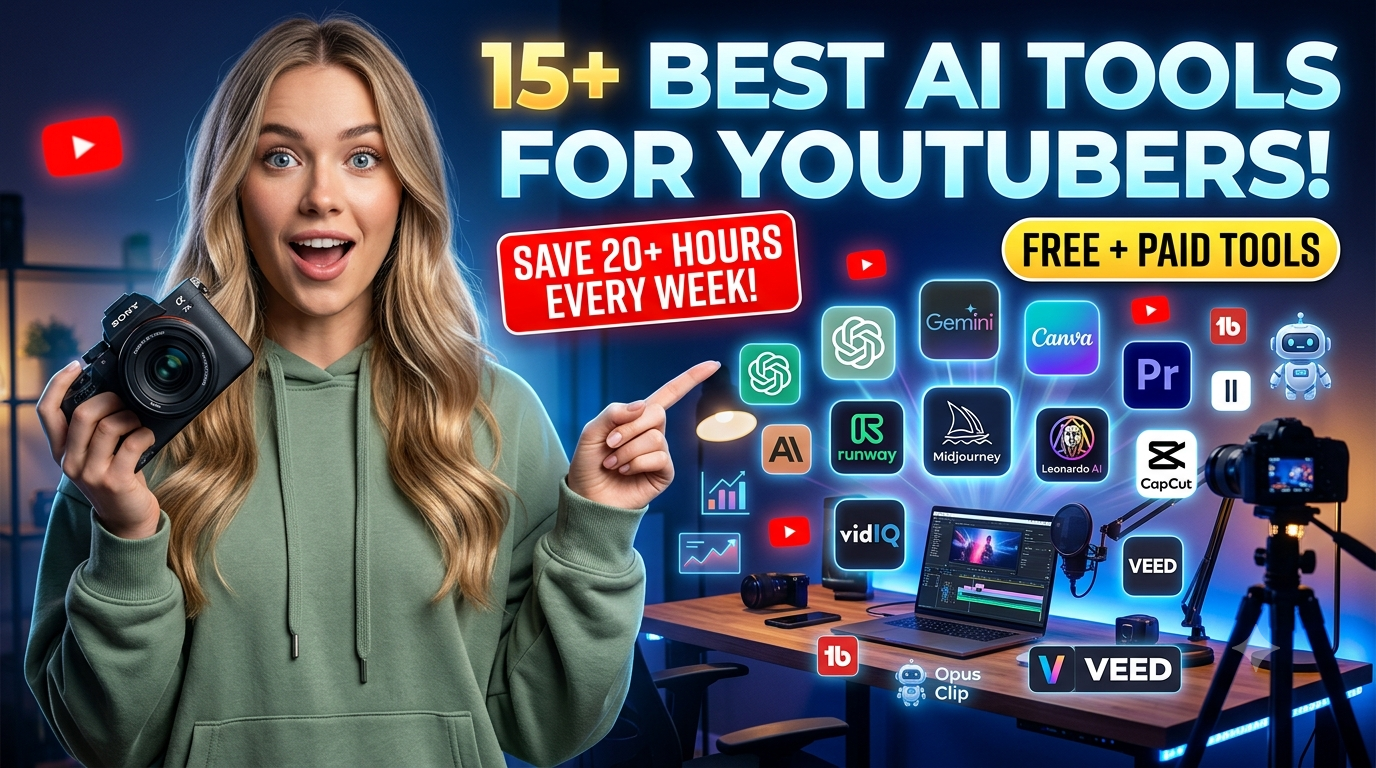
Discover the best AI tools for YouTube creators in 2026. Compare AI video editors, script generators, thumbnail makers, SEO tools, voice generators, and more.
Creating YouTube videos has never been easier—or more competitive. Every minute, hundreds of hours of video are uploaded to YouTube, meaning creators must fight harder than ever for attention. At the same time, viewers expect better editing, stronger storytelling, cleaner audio, eye-catching thumbnails, and consistent uploads. Trying to do all of that alone quickly leads to burnout.
That’s exactly why the best AI tools for YouTube creators have become an essential part of modern content creation. AI isn’t replacing creators; it’s helping them work smarter. Whether you need help generating video ideas, writing scripts, editing footage, creating thumbnails, improving SEO, or repurposing long-form videos into Shorts, there’s now an AI tool designed to save hours every week.
Recent YouTube updates continue expanding AI-powered creator features while rewarding original, high-quality content rather than low-value automation. At the same time, platforms are becoming stricter about spammy AI-generated content, making thoughtful human oversight more important than ever.
This guide reviews the top AI software available in 2026, explains what each tool does best, highlights its strengths and limitations, and helps you build an AI workflow that actually grows your channel instead of creating more work.
Why AI Matters For YouTube Creators In 2026
Artificial intelligence has changed almost every step of the YouTube production process. A few years ago, creators spent entire weekends editing one video. Today, AI can automatically remove background noise, generate captions, identify the most engaging moments, create thumbnails, suggest better titles, translate videos into multiple languages, and even produce realistic voiceovers.
The biggest benefit isn’t that AI replaces creativity—it removes repetitive work. That means creators have more time to focus on storytelling, audience engagement, and building a recognizable brand.
Professional creators are also using AI differently than beginners. Instead of asking one tool to make an entire video, experienced YouTubers combine specialized AI tools for research, scripting, editing, SEO, and analytics. Independent testing and creator reviews consistently show that purpose-built tools outperform “all-in-one” solutions for most workflows.
Another important trend is authenticity. Many YouTube creators are concerned about audiences reacting negatively if content appears overly AI-generated. Recent reporting shows that authenticity and transparency matter more than ever, especially for creators working with sponsors.
The Rise of AI-Powered Content Creation
YouTube is no longer just a platform for hobbyists. It’s a business.
Whether you’re running a faceless automation channel, a podcast, a tutorial channel, or a marketing agency, speed matters. Uploading consistently often beats chasing perfection.
AI helps creators:
- Find trending topics faster
- Research competitors
- Write outlines
- Generate scripts
- Remove editing bottlenecks
- Create thumbnails
- Improve SEO
- Generate subtitles
- Translate content
- Repurpose videos into Shorts
Instead of spending ten hours editing one video, many creators now finish the same workflow in three or four hours.
That doesn’t mean AI does everything well. Human creativity, storytelling, humor, emotional delivery, and fact-checking are still irreplaceable. The best-performing creators use AI as an assistant—not as a substitute for originality.
Why Successful Creators Use AI Instead of Working Harder?
Successful YouTubers don’t grow by working longer hours—they grow by building smarter workflows. AI helps them automate repetitive tasks so they can spend more time creating content that viewers actually enjoy.
Think about how much time goes into researching topics, writing scripts, editing videos, and designing thumbnails. AI can cut those tasks down from hours to minutes without sacrificing quality when used correctly.
Top creators also understand that AI isn’t a replacement for creativity. They use it to speed up production while keeping their own ideas, personality, and storytelling at the center of every video.
Another advantage is consistency. When you save several hours on each upload, it’s much easier to stick to a regular posting schedule. Consistent publishing often leads to better audience retention and long-term channel growth.
The smartest creators treat AI like a reliable assistant. It handles the repetitive work, while they focus on connecting with their audience, testing new ideas, and improving every video.
How We Selected These AI Tools?
Hundreds of AI products claim to help YouTubers, but only a small percentage actually improve productivity.
To evaluate each tool fairly, we considered:
| Evaluation Factor | What We Looked For |
|---|---|
| Ease of Use | Beginner-friendly interface |
| Output Quality | Professional results |
| AI Accuracy | Reliable performance |
| Features | Useful creator tools |
| Speed | Time savings |
| Integrations | Compatibility with YouTube workflow |
| Pricing | Free and paid value |
| Customer Support | Documentation and updates |
We also considered feedback from experienced creators, recent hands-on comparisons, and real-world workflows instead of relying solely on marketing claims.
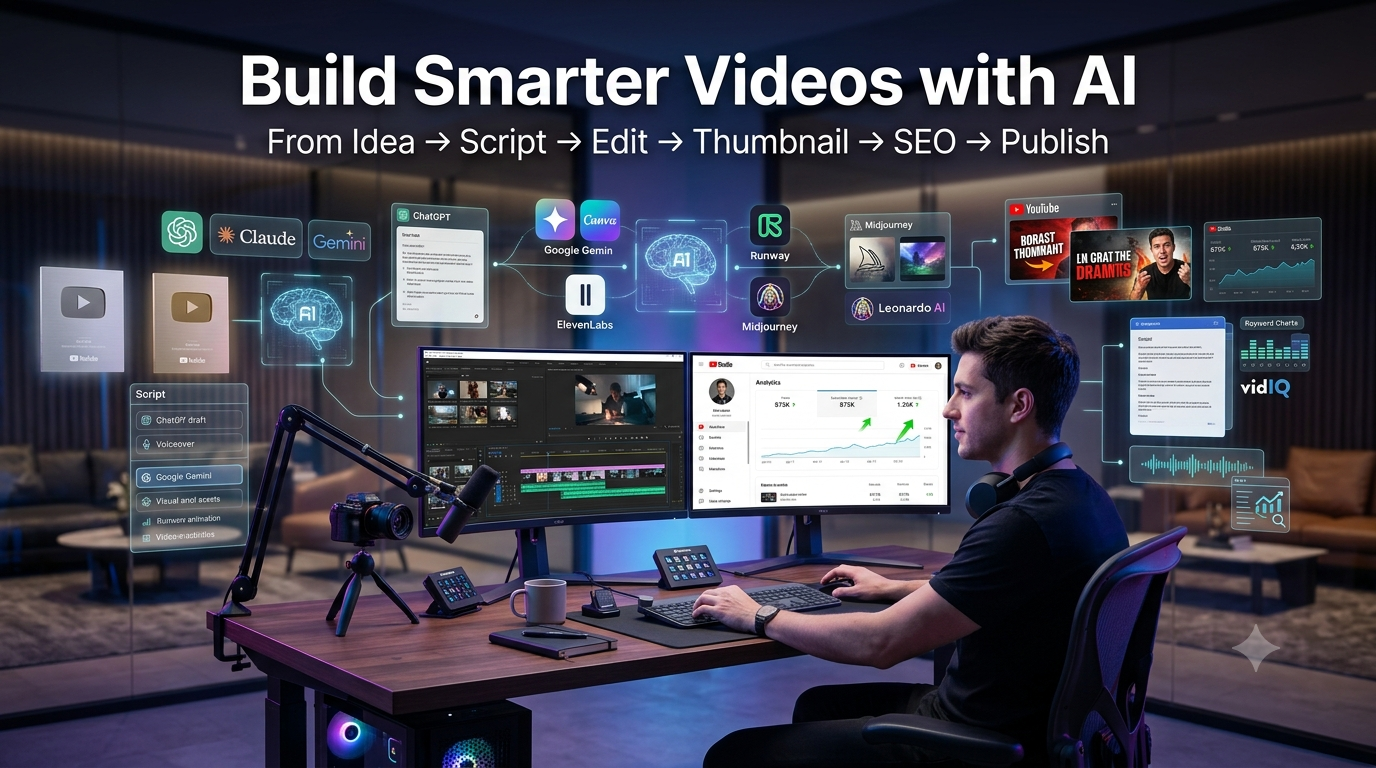
15+ Best AI Tools for YouTube Creators
Choosing the right AI tool can save hours every week, but no single platform does everything perfectly. The best creators build a toolkit where each AI solution handles a specific part of the workflow, from brainstorming ideas to publishing optimized videos.
Below are some of the most reliable AI tools for YouTube creators in 2026. Each one has its own strengths, pricing, and ideal use cases.
ChatGPT
ChatGPT has become one of the most versatile AI tools for YouTube. It helps creators brainstorm video ideas, write engaging scripts, generate titles, craft descriptions, and even plan an entire content calendar. Instead of staring at a blank page, you can quickly create a solid first draft and refine it with your own experience and personality.
One of its biggest strengths is flexibility. Whether you’re running a tech review channel, a podcast, or a faceless automation channel, ChatGPT adapts to different niches and writing styles. It’s especially useful for researching topics, simplifying complex concepts, and overcoming writer’s block.
Best Features
- Script writing
- Video idea generation
- SEO title and description creation
- Content planning
- Brainstorming
Pros
- Easy to use
- Excellent writing quality
- Supports multiple workflows
- Great free version
Cons
- Requires human fact-checking
- Generic prompts may produce average results
Pricing
- Free plan available
- Paid plans with advanced models
Best For
Creators who need help with scripting, research, and content planning.
Why We Recommend It?
It can easily save several hours every week while helping you publish more consistently.
Practical Use Cases
- Writing YouTube scripts
- Creating Shorts ideas
- Planning a monthly upload schedule
- Generating SEO-friendly titles
Claude
Claude is known for producing natural, thoughtful writing. Many creators prefer it for long-form educational videos because it maintains context well and generates smooth, conversational scripts.
It also performs well when analyzing long documents or organizing research into structured outlines. If your videos require detailed explanations, Claude is an excellent companion.
Best Features
- Long-form writing
- Research summaries
- Content organization
- Natural language generation
Pros
- Human-like writing
- Excellent context handling
- Clean interface
Cons
- Fewer creative image features
- Limited integrations compared to some competitors
Pricing
- Free version
- Premium subscription available
Best For
Educational creators and documentary-style channels.
Why We Recommend It?
Its writing often needs fewer edits before recording.
Google Gemini
Google Gemini is especially useful for creators who already use Google Workspace. It can summarize information, generate content ideas, answer research questions, and assist with productivity tasks.
Gemini also integrates well with Google services, making it easier to organize research and collaborate on projects.
Best Features
- Research assistance
- Content brainstorming
- Google ecosystem integration
- Fast responses
Pros
- Great for research
- Easy collaboration
- Free version available
Cons
- Creative writing may vary
- Some advanced features require a subscription
Pricing
- Free
- Premium plans available
Best For
Creators who rely heavily on Google tools.
Why We Recommend It?
It’s a practical assistant for research-heavy YouTube channels.
Canva Magic Studio
Creating professional thumbnails used to require advanced design skills. Canva Magic Studio makes the process much easier by combining AI-powered design tools with a simple drag-and-drop editor.
You can generate images, remove backgrounds, resize graphics, create social media posts, and design YouTube thumbnails in minutes. Even beginners can produce clean, attractive visuals.
Best Features
- AI thumbnail creation
- Magic Design
- Background remover
- AI image generation
- Brand Kit
Pros
- Beginner friendly
- Thousands of templates
- Fast editing
- Cloud-based
Cons
- Premium features require Canva Pro
- AI image generation has limits
Pricing
- Free plan
- Canva Pro subscription
Best For
Thumbnail design and branding.
Why We Recommend It?
Great thumbnails improve click-through rate, and Canva helps create them without a steep learning curve.
Adobe Premiere Pro AI
Adobe Premiere Pro remains one of the most powerful AI video editing platforms for professionals. Its AI-powered features automate tedious editing tasks while giving creators full creative control.
Tools like Auto Reframe, Speech Enhancement, Scene Edit Detection, and Generative Extend can dramatically reduce editing time without compromising quality.
Best Features
- AI audio cleanup
- Auto Reframe
- Scene detection
- Professional editing tools
Pros
- Industry-standard software
- Excellent AI enhancements
- High-quality exports
Cons
- Higher learning curve
- Monthly subscription
Pricing
- Adobe Creative Cloud subscription
Best For
Professional YouTubers and agencies.
Why We Recommend It
If video quality is your top priority, Premiere Pro is still one of the best investments.
CapCut AI
CapCut has become a favorite among YouTubers thanks to its fast editing workflow and built-in AI features. It allows creators to edit videos, generate captions, remove backgrounds, and create short-form content with minimal effort.
Its mobile and desktop versions make it easy to edit from almost anywhere, which is especially useful for creators who publish frequently.
Best Features
- AI captions
- Auto cut
- Background removal
- AI effects
- Video templates
Pros
- Easy to learn
- Excellent free version
- Fast editing
- Great for Shorts
Cons
- Some premium effects require payment
- Limited advanced controls compared to Premiere Pro
Pricing
- Free
- Pro subscription available
Best For
Beginners, vloggers, and Shorts creators.
Why We Recommend It
CapCut offers one of the best balances between simplicity and powerful AI features.
Descript
Descript changes the way creators edit videos by letting them edit video like a document. Instead of cutting clips manually, you simply edit the transcript, and the video updates automatically.
It also includes AI voice cloning, automatic transcription, filler word removal, and screen recording, making it a popular choice for podcasts and tutorial channels.
Best Features
- Text-based editing
- AI transcription
- Voice cloning
- Screen recording
- Filler word removal
Pros
- Extremely fast editing
- Great transcription accuracy
- Beginner-friendly
Cons
- Advanced exports require paid plans
- Heavy projects need a capable computer
Pricing
- Free plan
- Paid subscriptions
Best For
Podcasters, educators, and talking-head YouTubers.
Why We Recommend It?
Descript can reduce editing time dramatically while making revisions incredibly simple.
ElevenLabs
If you need realistic AI voiceovers, ElevenLabs is one of the best options available. Its voices sound natural, making it a popular choice for faceless YouTube channels, podcasts, audiobooks, and educational content.
The platform supports multiple languages and accents, allowing creators to reach a wider audience. You can also create custom voice clones, but it’s important to use this feature responsibly and with proper permission.
Best Features
- Realistic AI voices
- Voice cloning
- Multiple languages
- Emotion and tone control
- Fast audio generation
Pros
- High-quality voice output
- Easy to use
- Excellent multilingual support
Cons
- Premium voices require a paid plan
- Voice cloning should be used ethically
Pricing
- Free plan available
- Paid plans for advanced features
Best For
Faceless YouTube channels, tutorials, and podcasts.
Why We Recommend It?
It delivers some of the most natural AI-generated voices available today.
Runway
Runway is an AI-powered video creation platform that helps creators produce cinematic content without needing advanced editing skills. From removing backgrounds to generating videos with AI, it offers tools that can significantly speed up production.
Many creators also use Runway for visual effects, object removal, and creating B-roll. It’s especially useful when you want professional-looking visuals without spending hours editing.
Best Features
- AI video generation
- Background removal
- Motion tracking
- AI image-to-video
- Object removal
Pros
- Innovative AI features
- Saves editing time
- Professional-quality output
Cons
- Learning curve for beginners
- Premium features can be expensive
Pricing
- Free plan
- Paid subscription options
Best For
Creative storytellers, filmmakers, and advanced YouTubers.
Why We Recommend It?
Runway helps create eye-catching videos that stand out in crowded niches.
Pika
Pika is designed for creators who want to generate short AI videos from text prompts or images. It’s a great option for intros, animations, social media clips, and creative storytelling.
Although it isn’t a replacement for full video editing software, it can quickly produce engaging visuals that enhance your YouTube content.
Best Features
- Text-to-video
- Image-to-video
- AI animations
- Easy prompt-based creation
Pros
- Beginner-friendly
- Fast generation
- Creative outputs
Cons
- Limited editing controls
- Output quality depends on prompts
Pricing
- Free tier
- Premium plans available
Best For
Short animations and creative visual content.
Why We Recommend It?
It’s one of the easiest ways to create unique AI-generated video clips.
Midjourney
Midjourney is known for producing stunning AI-generated artwork. Many YouTubers use it to create thumbnails, concept art, channel banners, and custom illustrations.
Its artistic style makes it especially useful for storytelling channels, gaming creators, and educational videos that need original visuals.
Best Features
- High-quality AI artwork
- Multiple artistic styles
- Detailed image generation
- Creative prompt support
Pros
- Outstanding image quality
- Highly creative results
- Active community
Cons
- Requires practice to master prompts
- Subscription required
Pricing
- Paid plans only
Best For
Creators who need premium-quality artwork.
Why We Recommend It?
Its image quality consistently ranks among the best AI image generators.
Leonardo AI
Leonardo AI focuses on generating detailed graphics, illustrations, and game-style artwork. It also offers useful customization options, allowing creators to produce visuals that match their brand.
For YouTubers, it’s an excellent choice for thumbnails, digital art, and unique visual assets.
Best Features
- AI image generation
- Custom models
- Image editing
- Prompt enhancement
Pros
- Excellent image quality
- Flexible customization
- Free credits available
Cons
- Daily limits on free accounts
- Advanced features require premium access
Pricing
- Free plan
- Paid subscriptions
Best For
Thumbnail designers and creative content creators.
Why We Recommend It?
It combines quality, flexibility, and ease of use in one platform.
vidIQ
vidIQ is one of the most trusted AI SEO tools for YouTube. It helps creators discover keywords, analyze competitors, identify trending topics, and optimize videos for better search visibility.
Its AI recommendations can also suggest video ideas based on your channel’s performance and audience interests.
Best Features
- Keyword research
- AI title suggestions
- Competitor analysis
- Trend alerts
- Channel analytics
Pros
- Excellent SEO insights
- Beginner-friendly
- Strong analytics dashboard
Cons
- Advanced features require a paid plan
- Data can feel overwhelming for new creators
Pricing
- Free version
- Premium plans
Best For
Growing YouTube channels through SEO.
Why We Recommend It?
Better optimization often leads to more impressions and higher organic traffic.
TubeBuddy
TubeBuddy is another popular YouTube optimization tool that helps creators manage and grow their channels more efficiently. It offers keyword research, bulk editing, A/B thumbnail testing, and SEO recommendations.
Its browser extension integrates directly with YouTube Studio, making optimization quick and convenient.
Best Features
- Keyword Explorer
- Thumbnail A/B testing
- Bulk processing
- SEO optimization
- Productivity tools
Pros
- Saves time
- Helpful SEO suggestions
- Strong YouTube integration
Cons
- Some advanced tools require higher-tier plans
- Interface can feel busy
Pricing
- Free version
- Paid plans
Best For
Creators who regularly optimize large amounts of content.
Why We Recommend It?
It simplifies many repetitive YouTube management tasks.
Opus Clip
Opus Clip automatically turns long-form videos into engaging short clips. It identifies the most interesting moments and formats them for platforms like YouTube Shorts, Instagram Reels, and TikTok.
This makes it an excellent choice for creators who want to maximize the value of every video they publish.
Best Features
- AI clip detection
- Automatic captions
- Social media formatting
- Viral clip suggestions
Pros
- Huge time saver
- Excellent caption generation
- Easy sharing
Cons
- AI may occasionally select less important moments
- Premium plans unlock more features
Pricing
- Free plan
- Paid subscriptions
Best For
Repurposing podcasts, interviews, and long-form videos.
Why We Recommend It?
One upload can generate multiple pieces of content for different platforms.
Notion AI
Notion AI is a productivity tool that helps organize content ideas, research, scripts, publishing schedules, and team collaboration. While it isn’t designed specifically for YouTube, many creators rely on it to keep their workflow organized.
It can summarize notes, draft outlines, and help plan months of content in one workspace.
Best Features
- AI writing assistant
- Content planning
- Task management
- Team collaboration
Pros
- Keeps projects organized
- Flexible workspace
- Useful templates
Cons
- Requires setup time
- Limited creative media features
Pricing
- Free plan
- AI add-on available
Best For
Solo creators and content teams.
Why We Recommend It?
An organized workflow leads to more consistent uploads.
HeyGen
HeyGen allows creators to generate AI presenter videos using realistic digital avatars. It’s useful for explainer videos, business presentations, training content, and multilingual communication.
Creators who don’t want to appear on camera can still produce professional-looking videos with AI avatars.
Best Features
- AI avatars
- Voice synchronization
- Multiple languages
- Presentation tools
Pros
- Professional output
- Easy to create presenter videos
- Supports localization
Cons
- Premium plans are relatively expensive
- Avatar realism may vary
Pricing
- Free trial
- Paid subscriptions
Best For
Business channels and educational creators.
Why We Recommend It?
It provides an efficient way to produce presenter-style videos without filming.
Synthesia
Synthesia is another leading AI avatar platform used by businesses, educators, and training professionals. It enables users to create videos by simply typing a script.
With support for many languages and realistic avatars, it’s particularly valuable for instructional and corporate content.
Best Features
- AI avatars
- Text-to-video
- Multilingual support
- Professional templates
Pros
- Fast video production
- Consistent quality
- Easy editing
Cons
- Not ideal for entertainment content
- Premium pricing
Pricing
- Subscription-based
Best For
Training videos and educational channels.
Why We Recommend It?
It dramatically reduces production time for presenter-based videos.
VEED
VEED is a browser-based video editor packed with AI features that make content creation faster and easier. Whether you’re adding subtitles, cleaning up audio, or creating videos for YouTube Shorts, VEED keeps everything in one simple workspace.
Its intuitive interface makes it a great choice for beginners, while advanced tools like AI avatars, eye contact correction, and automatic translations provide extra value for professionals.
Best Features
- AI subtitle generator
- AI video editing
- Text-to-video
- Audio cleanup
- Screen recorder
Pros
- No software installation required
- Beginner-friendly interface
- Fast cloud-based editing
- Excellent subtitle accuracy
Cons
- Free plan includes limitations
- Large projects may take longer to process
Pricing
- Free plan available
- Paid plans unlock premium features
Best For
Creators who want an all-in-one online video editor.
Why We Recommend It?
VEED combines multiple AI tools into one platform, reducing the need to switch between different applications.
Remove.bg
Every YouTuber eventually needs transparent images for thumbnails, logos, or promotional graphics. Remove.bg makes background removal almost effortless with AI.
Instead of manually selecting subjects in editing software, you simply upload an image and receive a clean cutout within seconds. It works especially well for portraits and product photos.
Best Features
- One-click background removal
- High-quality edge detection
- Batch processing
- API integration
Pros
- Extremely fast
- Accurate results
- Easy for beginners
Cons
- High-resolution exports require credits
- Complex backgrounds may need minor touch-ups
Pricing
- Free preview
- Pay-as-you-go and subscription plans
Best For
Thumbnail designers and graphic creators.
Why We Recommend It?
Clean thumbnails often attract more clicks, and Remove.bg saves valuable editing time.
Best Free AI Tools for YouTube Creators
If you’re just starting your YouTube journey, you don’t need to spend hundreds of dollars on software. Many free AI tools offer enough features to help you create professional-looking videos while staying within your budget.
Here are some of the best free AI tools worth trying:
| Tool | Best For |
|---|---|
| ChatGPT | Script writing and brainstorming |
| Google Gemini | Research and content ideas |
| Canva Free | Thumbnail design |
| CapCut | AI video editing |
| Descript Free | Basic transcription |
| vidIQ Free | Keyword research |
| TubeBuddy Free | Channel optimization |
| Remove.bg | Basic background removal |
| VEED Free | Online editing and subtitles |
| Leonardo AI | AI image generation |
Free plans usually include daily usage limits or watermarks, but they’re more than enough to learn the basics. As your channel grows, you can upgrade only the tools that genuinely improve your workflow.
Best Paid AI Tools for YouTube Creators
Professional creators often invest in premium AI software because the time savings quickly outweigh the subscription costs. If a tool saves even a few hours each week, it can easily pay for itself through increased productivity.
Here are some of the top premium options:
| Tool | Best For |
|---|---|
| Adobe Premiere Pro AI | Professional video editing |
| ElevenLabs | Realistic AI voiceovers |
| Runway | AI video generation |
| Midjourney | Premium AI artwork |
| Claude Pro | Long-form writing |
| ChatGPT Plus | Advanced content creation |
| HeyGen | AI avatar videos |
| Synthesia | Business presentations |
| Opus Clip | Short-form content repurposing |
| Canva Pro | Advanced design features |
Choose paid tools based on your workflow rather than popularity. Buying software you rarely use won’t help your channel grow.
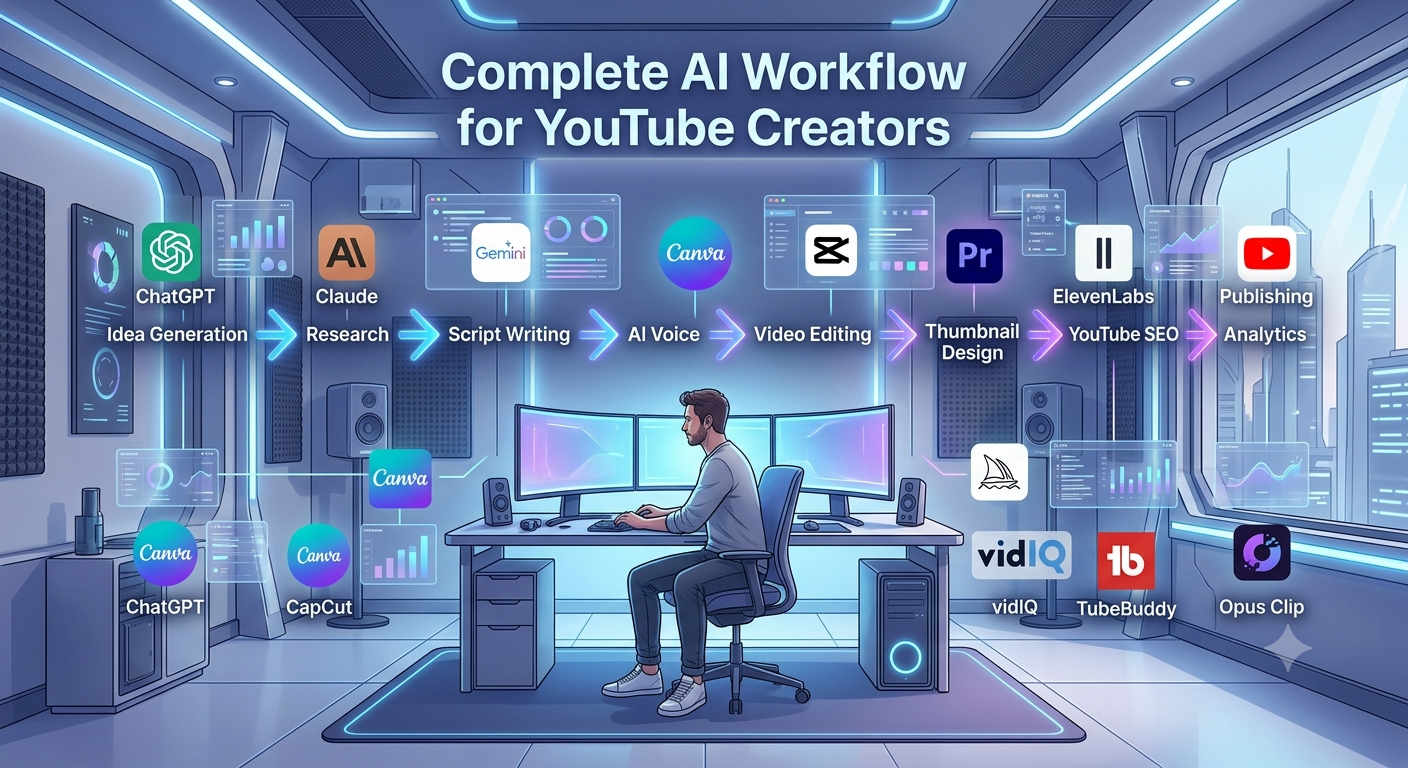
AI Workflow for Successful YouTube Creators
Using multiple AI tools together creates a smooth and efficient workflow. Instead of relying on one platform for everything, successful creators combine specialized tools for each stage of production.
Step 1: Find Content Ideas
Start by researching trending topics using ChatGPT, Gemini, vidIQ, and TubeBuddy. Look for questions your audience is already searching for and identify content gaps you can fill.
Step 2: Research the Topic
Gather reliable information from trusted sources before writing your script. AI can summarize research, but you should always verify important facts to maintain credibility.
Step 3: Write the Script
Use ChatGPT or Claude to create a structured script. Add your own stories, opinions, and experiences to make the content feel authentic instead of robotic.
Step 4: Generate Voiceovers
If you run a faceless channel, create natural-sounding narration using ElevenLabs. Review the audio before publishing to ensure pronunciation and pacing sound natural.
Step 5: Edit the Video
Edit your footage using CapCut, Premiere Pro, Descript, or VEED. AI can automatically generate captions, remove background noise, detect scenes, and improve overall quality.
Step 6: Design the Thumbnail
Create an eye-catching thumbnail with Canva, Midjourney, or Leonardo AI. Keep the design clean, use readable text, and focus on one clear message.
Step 7: Optimize for YouTube SEO
Generate compelling titles, descriptions, and tags using ChatGPT alongside keyword research from vidIQ or TubeBuddy. Strong SEO helps your videos appear in search results and suggested feeds.
Step 8: Publish and Promote
Upload your video with optimized metadata and share it across social media platforms. Repurpose long-form videos into Shorts using Opus Clip to increase your reach.
Mistakes to Avoid When Using AI
AI is a powerful assistant, but relying on it too heavily can hurt your content. The most successful creators balance automation with originality.
Over-Automating Everything
Don’t let AI create every part of your video. Viewers subscribe because of your personality, perspective, and creativity—not because of generic AI-generated content.
Publishing Generic Scripts
Many creators use the first draft AI generates without editing it. Always rewrite sections, add examples, and include personal insights to make your videos unique.
Ignoring Fact Checking
AI can occasionally produce outdated or incorrect information. Double-check statistics, dates, and technical details before recording your video.
Using AI Voices Poorly
Realistic AI voices are impressive, but they still need proper pacing and emotion. Listening to the final audio before publishing helps avoid awkward pronunciations.
Forgetting Copyright Rules
Always make sure you have the right to use AI-generated images, music, and voice models. Read licensing terms carefully, especially for commercial YouTube content.
Ignoring Your Audience
AI should support your creativity, not replace it. Continue listening to audience feedback and improve your content based on what viewers actually enjoy.
Tips to Grow Faster Using AI
Publish consistently instead of chasing perfection. AI saves time, but your audience values regular uploads more than occasional flawless videos.
Use analytics to guide your content decisions. Study which videos attract the most views and watch time, then create similar content with a fresh angle.
Experiment with thumbnails and titles through A/B testing whenever possible. Small improvements in click-through rate can lead to significant increases in views over time.
Repurpose every long-form video into multiple Shorts, social media clips, and promotional posts. This strategy helps you reach new audiences without creating additional content from scratch.
Finally, remember that AI is most effective when paired with creativity. Use it to handle repetitive tasks, then focus your energy on storytelling, engaging your audience, and building a recognizable brand.
Frequently Asked Questions (FAQs)
1. What are the best AI tools for YouTube creators in 2026?
Some of the best AI tools include ChatGPT, Claude, Google Gemini, Adobe Premiere Pro AI, CapCut, ElevenLabs, Canva Magic Studio, Runway, vidIQ, TubeBuddy, and Opus Clip. Each tool specializes in different tasks such as script writing, video editing, thumbnail creation, SEO optimization, or voice generation. The right choice depends on your workflow and budget.
2. Can AI help grow a YouTube channel?
Yes. AI can help you research trending topics, write better scripts, create eye-catching thumbnails, edit videos faster, and optimize titles and descriptions for search. While AI won’t guarantee success, it can save time and improve the overall quality and consistency of your content.
3. Which AI tool is best for YouTube script writing?
ChatGPT and Claude are among the best options for writing YouTube scripts. They can generate outlines, improve storytelling, and organize ideas into engaging content. You’ll still want to personalize the script with your own experience and voice before publishing.
4. What is the best AI video editor for YouTube?
Adobe Premiere Pro AI is a top choice for professional creators because of its advanced editing features and AI-powered tools. For beginners or creators looking for a simpler workflow, CapCut AI and VEED offer excellent editing capabilities with a much easier learning curve.
5. Which AI tool creates the best YouTube thumbnails?
Canva Magic Studio is ideal for designing professional thumbnails quickly, especially if you don’t have graphic design experience. Midjourney and Leonardo AI are also great options for generating unique artwork that can make your thumbnails stand out.
6. Are free AI tools enough for beginner YouTubers?
Absolutely. Many beginners successfully use free versions of ChatGPT, Gemini, Canva, CapCut, vidIQ, and TubeBuddy to create and optimize their videos. As your channel grows, you can invest in premium features that match your needs.
7. Is it okay to use AI-generated voiceovers on YouTube?
Yes, YouTube allows AI-generated voiceovers as long as your content follows its community guidelines and provides value to viewers. Tools like ElevenLabs produce realistic voices, but it’s important to review the narration for pronunciation, pacing, and clarity before publishing.
8. Can AI completely automate a YouTube channel?
AI can automate many repetitive tasks such as scripting, editing, caption generation, and SEO optimization. However, successful channels still rely on human creativity, fact-checking, and audience engagement. The best results come from combining AI efficiency with original ideas.
10. What’s the best AI workflow for YouTube creators?
A practical workflow starts with brainstorming ideas using ChatGPT or Gemini, researching keywords with vidIQ or TubeBuddy, writing scripts with Claude or ChatGPT, recording voiceovers using ElevenLabs, editing in Premiere Pro or CapCut, designing thumbnails in Canva, and optimizing titles and descriptions before publishing. This process saves time while keeping the creative decisions in your hands.
Final Verdict
Artificial intelligence has changed the way YouTube content is created, but it hasn’t changed what viewers want. People still watch videos because they enjoy the creator’s personality, expertise, and storytelling. AI simply removes repetitive work so you can spend more time creating content that matters.
If you’re just getting started, stick with free tools like ChatGPT, Google Gemini, Canva, CapCut, and TubeBuddy. They offer more than enough features to launch and grow a channel without a significant investment.
Professional creators who upload regularly should consider premium tools such as Adobe Premiere Pro AI, ElevenLabs, Runway, Opus Clip, and vidIQ. These platforms can dramatically improve productivity and help maintain a consistent publishing schedule.
For businesses and marketing agencies, combining AI writing tools, advanced video editors, SEO platforms, and workflow management software creates an efficient content production system. The time saved often translates into more content, better quality, and stronger audience growth.
The best AI tools for YouTube creators aren’t necessarily the most expensive—they’re the ones that fit naturally into your workflow. Start with one or two tools, master them, and expand your toolkit as your channel grows.