Learn how to rank YouTube videos faster with practical SEO tips for keywords, titles, thumbnails, CTR, retention, watch time, and YouTube Analytics.
Hello Guys! Howdy? You upload a video, spend hours editing it, create what you think is a great thumbnail, write a description, hit Publish, and then… almost nothing happens. A few views trickle in, maybe a couple of likes, and your video disappears into the endless stream of new uploads.
If that sounds familiar, the problem may not be the quality of your video. YouTube receives an enormous amount of content, and simply publishing a useful video does not guarantee that the right viewers will discover it. You need to make it easy for YouTube to understand what your video is about while also giving viewers a compelling reason to click and keep watching.
That is where YouTube SEO comes in. Learning how to rank YouTube videos faster is really about connecting three things: the topic people are looking for, the video they actually want to watch, and the signals YouTube can use to understand whether viewers found that video useful.
YouTube itself says Search considers relevance, engagement, and quality, while recommendations are personalized around viewer behavior and satisfaction.
This guide breaks down the process from keyword research and titles to thumbnails, retention, watch time, analytics, and channel strategy. More importantly, it focuses on what you can actually control.
Can You Really Rank YouTube Videos Faster?
Yes, but “faster” does not mean there is a secret button that pushes a video to #1. YouTube rankings depend on the query, competition, relevance, viewer behavior, your audience, and how your video performs with the people who see it.
There is also an important distinction between YouTube Search and other discovery surfaces. Search is driven heavily by the relationship between a viewer’s query and your video’s relevance. Home, Browse Features, and Suggested Videos are much more personalized. YouTube explains that recommendations use signals such as watch history, search history, subscriptions, likes, dislikes, and satisfaction-related feedback.
So if you’re trying to rank for a phrase such as “how to edit YouTube videos,” your first job is to make a video that clearly satisfies that search. But once YouTube starts showing the video to viewers, their response matters too.
Think of SEO as getting your video onto the right shelf in a huge store. Your title and metadata help YouTube understand which shelf it belongs on. Your thumbnail gets people to pick it up. Your actual video determines whether they keep watching or put it back.
How Do YouTube Video Rankings Work?
YouTube Search does not simply display the videos with the most views. According to YouTube, Search considers relevance, engagement, and quality, including how well the title, tags, description, and video content match the viewer’s search.
Search Relevance, Engagement, and Quality
This is why YouTube ranking factors should not be reduced to one metric.
Suppose someone searches for “best budget microphone for YouTube.” A video titled “My Studio Setup” may contain microphones, but it does not communicate the search intent nearly as clearly as “Best Budget Microphones for YouTube in 2026.”
Then comes viewer response. If people click your video, watch a meaningful portion, and appear satisfied with it, YouTube has stronger evidence that your video is useful for that audience. YouTube specifically notes that engagement, including watch time for a particular search, can help determine relevance.
Personalization matters as well. Two people can search the same phrase and see somewhat different results because YouTube may consider their search and watch history.
That means there is no universal formula such as “put the keyword five times, and you’ll rank.” YouTube video SEO is a combination of relevance and viewer satisfaction.
15+ Proven Ways to Rank YouTube Videos Faster
Keyword Research and Search Intent
1. Find low-competition YouTube keywords. Don’t start every video with the biggest keyword in your niche. If you have a new channel, competing immediately for something like “YouTube SEO” can be difficult. A more specific phrase such as “YouTube SEO for gaming channels” gives you a much clearer audience and topic.
2. Understand search intent before creating the video. Ask what the viewer actually wants. Someone searching “how to fix YouTube thumbnail” wants instructions, while someone searching “best YouTube thumbnail examples” probably wants inspiration or examples. Matching the intent is more important than mechanically inserting keywords.
3. Choose a specific video topic. Broad subjects often create vague videos. Instead of “YouTube Growth,” consider “How to Get More YouTube Search Traffic With Long-Tail Keywords.” A specific promise makes the video easier to package and easier for the viewer to understand.
Titles, Descriptions, Thumbnails, and CTR
4. Put the main keyword naturally in the title. If your target phrase is “how to rank YouTube videos,” a natural title could be “How to Rank YouTube Videos Faster: 10 Practical SEO Tips.” Don’t turn the title into a pile of keywords.
5. Write a useful YouTube description. Explain what the video covers using natural language. Include the primary topic, relevant variations, useful links, and chapters when appropriate. Your description should help a person understand the video, not read like a keyword database.
6. Create a strong YouTube thumbnail. Your thumbnail competes against dozens of other visual options. Make the central idea immediately understandable. Use a clear subject, readable text when needed, strong contrast, and visual curiosity without making promises the video cannot deliver.
7. Improve click-through rate thoughtfully. CTR tells you how often viewers watched after seeing a registered impression. But there isn’t one universally “good” CTR because it varies by audience, content type, and traffic source. YouTube recommends interpreting CTR alongside impressions and other context rather than treating the number in isolation.
Retention, Watch Time, and Engagement
8. Hook viewers quickly. Skip the long introduction. If your title promises “5 Ways to Rank YouTube Videos,” start by explaining the first useful idea rather than spending 30 seconds introducing yourself.
9. Improve audience retention. Look at where viewers leave. If a large percentage disappears during your intro, your introduction probably needs work. If viewers leave when you switch into a long explanation, consider demonstrating the point instead.
10. Structure videos for watch time. Good structure creates momentum. Start with the problem, establish what the viewer will get, deliver useful information, demonstrate it, and move naturally from one point to the next.
11. Use relevant YouTube tags correctly. Tags are not the ranking shortcut many older SEO guides make them sound like. YouTube says your title, thumbnail, and description are more important metadata, while tags play a minimal role except in situations such as commonly misspelled terms.
12. Use related keywords and semantic terms. If your video is about YouTube keyword research, naturally discussing search intent, long-tail keywords, keyword competition, autocomplete, search queries, and competitor analysis gives YouTube and viewers more context.
13. Add chapters when they improve navigation. Chapters can make a long tutorial easier to use. Someone who needs the section about thumbnails can quickly find it rather than abandoning the video because the information feels buried.
14. Use playlists strategically. Group closely related videos. For example, a creator teaching YouTube growth could create a playlist covering keyword research, thumbnails, retention, analytics, and content strategy.
15. Encourage meaningful engagement. Don’t beg viewers to “comment anything” simply to manufacture activity. Ask a question that relates directly to the video, such as, “Which YouTube SEO problem are you struggling with right now?”
16. Create supporting videos around a topic. If one video is about YouTube keyword research, follow it with videos about low-competition keywords, title optimization, YouTube Analytics, and search intent. This creates a stronger content ecosystem.
17. Build topic authority. A channel repeatedly helping the same audience with related problems can become more useful to that audience than a channel publishing completely unrelated subjects every day.
18. Update underperforming videos when appropriate. If an older video has a strong topic but weak packaging, review the title and thumbnail and look at its analytics. Don’t randomly change everything every few hours; make changes based on evidence.
19. Study competitor videos. Search your target query and examine what currently performs well. Look for patterns in topics, titles, thumbnails, video length, structure, and unanswered questions. Your goal isn’t to copy competitors. It’s to identify what viewers are already being served and where you can provide something better.
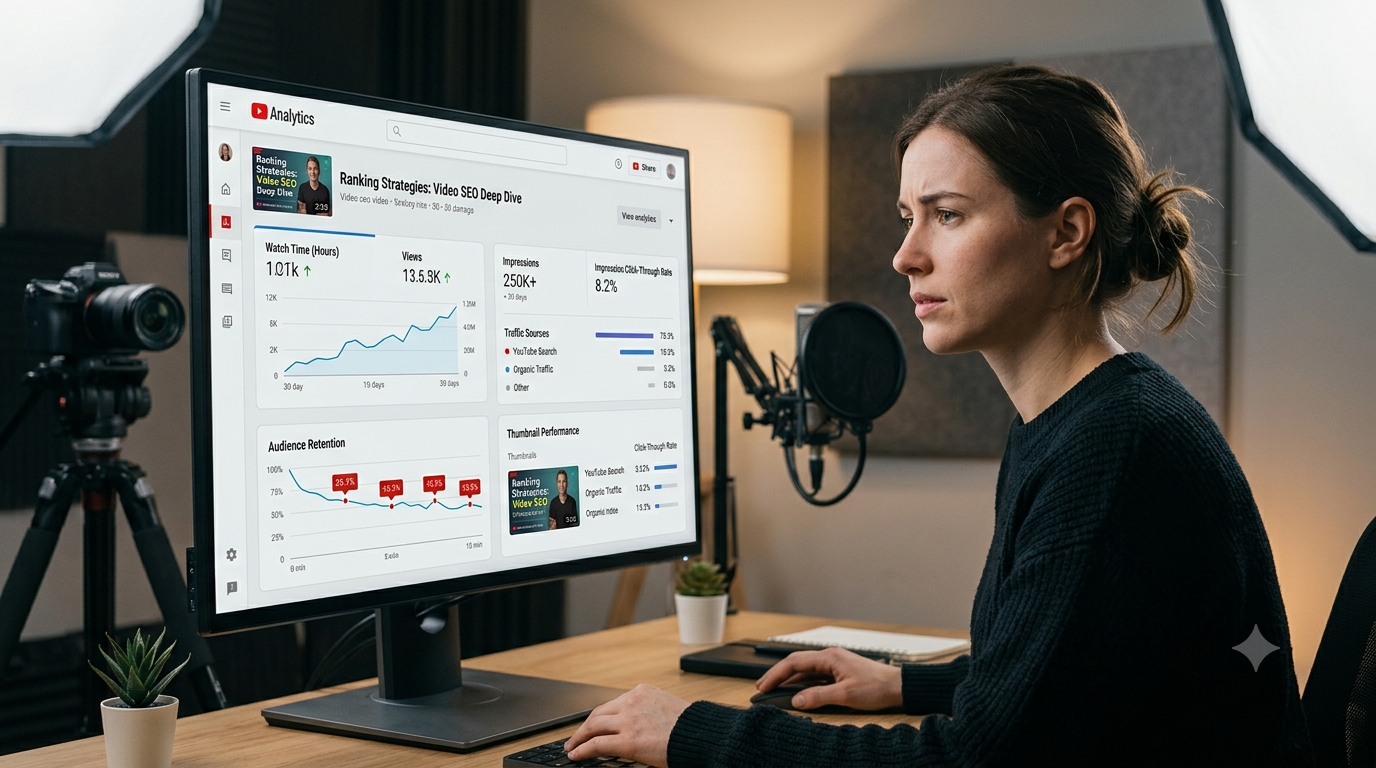
20. Use YouTube Analytics to improve future videos. Analytics tells you what happened after publication. YouTube provides metrics including impressions, CTR, average view duration, watch time, traffic sources, and more.
The important shift is this: don’t treat analytics as a report card. Treat it as feedback for your next video.
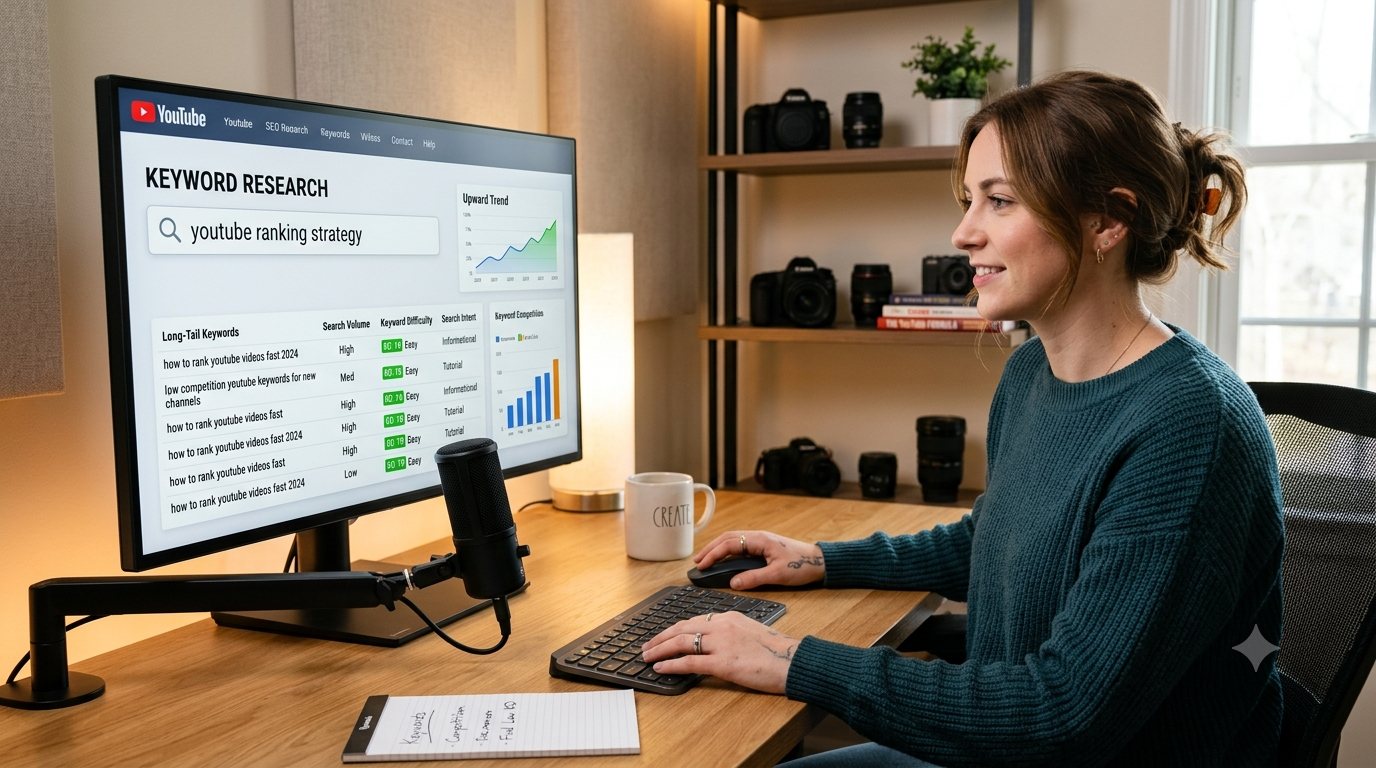
How to Find YouTube Keywords With Low Competition?
Start with YouTube itself.
Type a broad phrase into the search box and pay attention to YouTube autocomplete suggestions. These suggestions can reveal the language viewers commonly use when searching.
For example, instead of targeting:
“YouTube thumbnails”
you might discover more specific ideas such as:
“YouTube thumbnail ideas for gaming videos”
or:
“how to make YouTube thumbnails on Canva.”
The second type of keyword is often easier for a smaller creator because the search intent is clearer.
You can also study competing videos. Search your target phrase and ask:
- Are the current results dominated by huge channels?
- Are there older videos that no longer fully answer the query?
- Are the titles poorly optimized?
- Do the thumbnails look repetitive?
- Are viewers asking questions that the existing videos don’t answer?
- Can you create a more useful or more specific video?
Don’t obsess over search volume alone. A keyword with enormous potential but intense competition may produce less opportunity for a small channel than a smaller long-tail phrase with strong intent.
For example:
- Broad: “YouTube SEO”
- More specific: “YouTube SEO for new channels”
- Long-tail: “how to rank YouTube videos with a new channel”
The third phrase gives you a very clear person, problem, and outcome.
How to Write a YouTube Title That Can Rank?
A strong title has two jobs: communicate relevance and earn the click.
Put your primary keyword naturally where it makes sense, but don’t sacrifice readability. Compare these:
Bad:
“How to Rank YouTube Videos, YouTube Ranking, YouTube SEO, Rank Videos Fast”
Better:
“How to Rank YouTube Videos Faster: A Practical SEO Strategy”
The second title communicates the subject immediately without sounding like spam.
You can also use curiosity when it is honest:
- How to Rank YouTube Videos Faster Without a Big Channel
- Why Your YouTube Videos Aren’t Ranking — And What to Fix
- How I Would Do YouTube Keyword Research on a New Channel
- YouTube SEO for Beginners: How to Get More Search Traffic
- How to Find Low-Competition YouTube Keywords
There is no need to make every title sensational. If the thumbnail promises something the video doesn’t deliver, viewers may click and leave quickly. YouTube specifically warns that clickbait can produce high CTR while generating low average view duration and weaker recommendation performance.
How to Optimize a YouTube Description for SEO?
Think of the description as supporting context rather than a place to repeat the keyword 30 times.
A practical description could look like this:
Want to learn how to rank YouTube videos faster? In this video, you’ll learn a practical YouTube SEO strategy for finding low-competition keywords, creating better titles and thumbnails, improving audience retention, and using YouTube Analytics to increase organic search traffic.
We’ll also cover YouTube keyword research, video optimization, YouTube tags, CTR, watch time, and common SEO mistakes that can prevent videos from getting discovered.
Timestamps:
00:00 Introduction
01:05 How YouTube Search works
03:20 Finding low-competition keywords
06:10 Writing better titles
08:40 Improving thumbnails and CTR
11:15 Audience retention
14:00 YouTube AnalyticsSubscribe for more practical YouTube SEO tutorials.
Notice that the primary keyword appears naturally, while related concepts provide additional context.
The description should accurately represent the actual video. YouTube’s search documentation confirms that title, description, tags, and the video itself can contribute to relevance for a search query.
Do YouTube Tags Still Help Videos Rank?
Yes, but their role is limited.
This is one of the easiest areas to misunderstand because many older YouTube SEO tutorials make tags sound incredibly powerful. YouTube’s current documentation says tags can be useful for helping with commonly misspelled content names, but otherwise they play a minimal role in discovery.
Use tags for relevant variations, alternate spellings, abbreviations, and terms genuinely connected to the video.
For a video about YouTube keyword research, you might use variations such as:
- YouTube keyword research
- YouTube keywords
- YouTube SEO keywords
- video keyword research
- keyword research for YouTube
Don’t paste a massive list into the description. YouTube specifically warns against excessive tags in video descriptions.
Spend your time first on the topic, title, thumbnail, actual content, and viewer experience.
How Important Is YouTube Thumbnail CTR?
Very important—but CTR needs context.
Your YouTube thumbnail and title form the packaging of the video. If your video receives impressions but few people click, the packaging may not be communicating enough value.
But a high CTR by itself doesn’t mean your video is healthy. Imagine a thumbnail saying:
“YouTube Just Changed EVERYTHING!”
People may click because the promise is dramatic. If the actual video turns out to be a generic tutorial, they may leave quickly.
YouTube explains that CTR can change as a video reaches a broader audience, and that creators should evaluate impressions and CTR together rather than looking at one number alone.
A better approach is to make the thumbnail answer one question:
“Why should I watch this instead of the other videos next to it?”
Use one clear visual idea. Remove unnecessary text. Make the main subject obvious at small size. Then make sure the first minute of your video delivers exactly what the thumbnail and title promised.
How Audience Retention Affects YouTube SEO?
A viewer clicking your video is only the beginning.
If your opening is slow, confusing, or unrelated to the promise in your title, viewers may leave quickly. Your retention graph can reveal these problems.
Suppose you make a video called “How to Find Low-Competition YouTube Keywords.” If you spend the first 60 seconds explaining your personal history before showing viewers how to find keywords, some people may leave before receiving the promised value.
A stronger opening might be:
“If your channel is small, don’t start by targeting the biggest YouTube keywords. In the next few minutes, I’ll show you how to turn a broad keyword into a much more specific search opportunity.”
Then demonstrate it.
Retention isn’t about making viewers watch artificially. It’s about making the video genuinely useful enough that they want to continue.
How Does Watch Time Help YouTube Videos Get More Exposure?
YouTube watch time is simply the amount of time viewers spend watching your content.
A 10-minute video watched for 5 minutes produces more total watch time per viewer than a 10-minute video watched for 30 seconds. But don’t stretch a video simply to make it longer.
A tight six-minute tutorial can be better than a padded 15-minute tutorial.
Instead, improve watch time by:
- Removing unnecessary introductions
- Showing examples instead of only talking
- Using clear transitions
- Building curiosity around the next section
- Answering the viewer’s question completely
- Avoiding repetitive explanations
- Delivering the promised value throughout the video
YouTube’s analytics reports include average view duration, average percentage viewed, and watch time, giving creators several ways to understand how much of their content audiences actually consume.
How to Rank a New YouTube Channel?
A new channel doesn’t need to attack the biggest keyword in its niche.
If you have 0 subscribers, focus on highly specific problems. Instead of trying to rank for “fitness,” create something like “15-Minute Dumbbell Workout for Beginners at Home.”
Under 100 subscribers, continue building around related problems. Look for videos that can answer specific questions rather than trying to compete with established channels for every broad phrase.
Under 1,000 subscribers, start studying which topics repeatedly attract search traffic, returning viewers, and strong engagement. Then build more content around those successful themes.
A small channel can rank for a search query because YouTube Search isn’t simply a popularity leaderboard. YouTube says search results are based on relevance and engagement rather than simply being a list of the most-viewed videos.
That is good news for new creators.
How Long Does It Take for a YouTube Video to Rank?
There is no reliable universal timeline.
A low-competition search query may begin producing search visibility relatively quickly. A competitive keyword may take much longer—or your video may never rank prominently for it.
Several variables matter:
- Keyword competition
- Search intent
- Channel history
- Topic relevance
- Viewer response
- Video quality
- Audience fit
- Existing competition
- Search demand
YouTube also notes that a new channel can be one reason content isn’t immediately appearing prominently in search.
So don’t judge a video after a few hours and assume the strategy failed. Give the video enough data to understand how people are responding.
Common YouTube SEO Mistakes That Prevent Videos From Ranking?
One major mistake is keyword stuffing. Repeating “how to rank YouTube videos” in every sentence doesn’t make the video more relevant.
Another is targeting keywords that are simply too competitive for the channel’s current position.
Misleading thumbnails are another problem. They may produce clicks but disappoint viewers. YouTube’s own CTR guidance points out that clickbait can be associated with low average view duration and weaker recommendation outcomes.
Other common problems include:
- Copying competitor titles word-for-word
- Ignoring search intent
- Spending more time on tags than thumbnails
- Making extremely long introductions
- Publishing unrelated topics repeatedly
- Changing titles constantly without enough data
- Creating videos for algorithms instead of viewers
- Ignoring YouTube Analytics
- Using keywords that don’t accurately describe the video
Good YouTube optimization should make the video easier to understand and easier to discover—not manipulate the system.
YouTube SEO vs Google SEO
YouTube SEO and Google SEO share several fundamentals: understand search intent, create useful content, use relevant language, and satisfy the person searching.
But the environments are different.
Google primarily ranks web pages and other search results, while YouTube is a video platform where viewer behavior plays a major role in discovery. YouTube Search considers relevance, engagement, and quality, while its recommendation systems are highly personalized.
Google SEO may involve backlinks, technical SEO, page experience, structured data, and topical authority. YouTube SEO puts much more emphasis on the video experience, packaging, viewing behavior, and audience response.
The good news is that the same principle works for both:
Make the best answer for the searcher’s actual problem.
How to Use YouTube Analytics to Improve Rankings?
Analytics becomes powerful when you stop looking at individual numbers and start connecting them.
Impressions: Tell you how often YouTube showed your thumbnail through registered impressions.
CTR: Shows how often viewers watched after seeing a registered impression.
Average view duration: Helps you understand how long viewers watched on average.
Watch time: Shows the total amount of time viewers spent watching.
Traffic sources: Show whether viewers are finding you through YouTube Search, Browse Features, Suggested Videos, external sources, and other paths.
YouTube Search terms: Can reveal the actual searches associated with your search traffic.
YouTube provides these metrics directly in Studio and explains that creators can use them to understand reach, viewer behavior, and traffic sources.
Here’s a simple diagnostic system:
High impressions + low CTR: Look at your title and thumbnail.
Good CTR + poor retention: Check whether your video delivers on the promise.
Low impressions + strong viewer response: Your topic may have limited demand, strong competition, or simply need more opportunity to reach the right audience.
Strong Search traffic: Make related videos around the same topic.
This is much more useful than staring at your total views.
A Simple YouTube SEO Workflow for Every New Video
Use this process before publishing your next video:
- Step 1: Find a topic. Start with a real problem your audience wants solved.
- Step 2: Research keywords. Use YouTube autocomplete, competitor research, related searches, and keyword tools to identify phrases and variations.
- Step 3: Analyze competing videos. Look at their titles, thumbnails, content gaps, comments, and overall approach.
- Step 4: Create the video. Make the content genuinely better, clearer, more useful, or more specific.
- Step 5: Optimize the title. Include the main topic naturally while making the value clear.
- Step 6: Create the thumbnail. Design for the viewer, not for keyword density.
- Step 7: Write the description. Summarize the video naturally and include relevant supporting information.
- Step 8: Add relevant tags. Use them where useful, but don’t treat tags as the main SEO strategy.
- Step 9: Publish. Make sure the video, title, thumbnail, and description all accurately represent the same promise.
- Step 10: Analyze performance. Look at impressions, CTR, retention, watch time, and traffic sources.
- Step 11: Improve future videos. Use what you learned rather than obsessing over one upload.
- This workflow turns YouTube video optimization into a repeatable process instead of a guessing game.
YouTube Video Ranking Checklist
Before publishing, run through this quick checklist:
- Is the video solving a specific viewer problem?
- Did I identify the main search intent?
- Did I research relevant YouTube keywords?
- Is the target keyword naturally reflected in the title?
- Does the title accurately describe the video?
- Is the thumbnail clear at a small size?
- Does the thumbnail complement the title?
- Does the opening deliver the promised value quickly?
- Did I remove unnecessary introductions?
- Is the description useful and natural?
- Did I add relevant keyword variations?
- Are tags relevant rather than excessive?
- Would chapters help viewers navigate the video?
- Is the video connected to other relevant content on my channel?
- Did I review competing videos?
- Do I have a plan to study Analytics after publishing?
- Am I targeting a realistic keyword for my channel?
- Does the video prioritize viewers over the algorithm?
Save this checklist and use it before every important upload.
Frequently Asked Questions (FAQs)
How can I rank my YouTube video faster?
Start with a specific topic and clear search intent. Research realistic keywords, create a strong title and thumbnail, deliver the promised value quickly, and use Analytics to improve future videos.
How long does it take for a YouTube video to rank?
There is no fixed timeline. Low-competition topics can gain search visibility faster than highly competitive topics, but rankings depend on relevance, competition, audience response, and other factors.
How do I rank #1 on YouTube?
There is no guaranteed method for reaching #1. The practical approach is to create a highly relevant video, satisfy the search intent better than competing results, and build strong viewer response.
Do YouTube tags help videos rank?
They can help with certain situations, particularly misspellings, but YouTube says tags generally play a minimal role in discovery compared with titles, thumbnails, and descriptions.
How many keywords should I use on YouTube?
Use the primary topic plus relevant variations naturally. There is no magic keyword count. Focus on accurately describing what the video is actually about.
Does putting keywords in the YouTube title help?
Yes, when the keyword accurately represents the video’s subject and matches what viewers search for. YouTube says title, description, tags, and video content can contribute to search relevance.
Does YouTube description help SEO?
Yes, descriptions provide additional context about the video. But they should be written for humans rather than packed with repetitive keywords.
How important is thumbnail CTR?
CTR is an important performance metric, but it should be interpreted alongside impressions, traffic source, audience, and viewer behavior. YouTube specifically recommends looking at CTR in context.
Does watch time affect YouTube rankings?
Viewer watch behavior can contribute to how YouTube understands engagement and satisfaction. YouTube says engagement, including watch time for a particular search, can help determine relevance.
Does audience retention affect rankings?
Retention helps you understand whether viewers continue watching your video. Strong retention can be a sign that your content is delivering on its promise, but there is no single retention percentage that guarantees a ranking.
How do I rank a YouTube video with a new channel?
Target specific, less competitive topics instead of immediately competing for huge keywords. Build a library of closely related videos and learn from the performance of each upload.
How do I find low-competition YouTube keywords?
Use YouTube autocomplete, study competing search results, examine long-tail variations, and look for specific problems that established videos aren’t answering well.
Can a video rank without many subscribers?
Yes. YouTube Search isn’t simply organized by subscriber count or total views. Search considers relevance and engagement, so a smaller channel can appear for relevant searches.
Why is my YouTube video not getting views?
There can be several reasons: weak topic demand, high competition, poor packaging, low viewer satisfaction, incorrect search intent, or simply insufficient exposure. Use Analytics rather than guessing.
How often should I upload YouTube videos for SEO?
There is no universal upload frequency that guarantees rankings. A sustainable schedule that allows you to consistently produce useful videos is generally more valuable than publishing low-quality videos simply to hit a quota.
Can old YouTube videos start ranking again?
Yes. A video can continue receiving traffic when viewers discover it through Search, Suggested Videos, Browse Features, or other sources. If an older video still answers a relevant question, it can remain useful long after publication.
Final Thoughts
Learning how to rank YouTube videos faster isn’t about discovering one secret ranking trick. It’s about getting several fundamentals right at the same time.
Start with the right topic. Find a realistic search opportunity. Understand what the viewer actually wants. Build a title and thumbnail that communicate the value honestly. Then make the video good enough that viewers want to keep watching.
Don’t spend 90% of your effort stuffing keywords and 10% making the actual video. YouTube’s own documentation makes the bigger picture clear: Search looks at relevance, engagement, and quality, while recommendations are heavily influenced by what individual viewers are likely to enjoy.
For a small or new channel, the smartest YouTube SEO strategy is usually not to fight the biggest channels head-on. Find specific problems, create genuinely useful answers, build related videos, study your Analytics, and improve with every upload.
That’s how you gradually build YouTube search traffic, organic views, and a channel that can continue attracting viewers without depending entirely on paid promotion.