
Discover the best YouTube keyword research tools in 2026. Compare TubeBuddy, VidIQ, Ahrefs, Semrush, Google Trends, free tools, AI tools, and proven SEO strategies.
Uploading a great video isn’t enough anymore. Every minute, creators publish hundreds of hours of new content, making YouTube one of the most competitive search engines in the world. If your videos aren’t targeting the phrases people are actually searching for, even amazing content can disappear into the crowd.
That’s where YouTube keyword research tools become essential.
The best creators don’t guess what viewers want—they rely on keyword data, search trends, audience behavior, and competition analysis before pressing the Record button. Whether you’re starting your very first YouTube channel, managing videos for clients, or running a business that depends on video marketing, the right keyword strategy can dramatically improve your organic reach.
Today’s keyword research tools go far beyond simple keyword suggestions. Modern platforms provide estimated search demand, keyword difficulty, competitor insights, AI-powered title recommendations, trending topics, content gaps, and even optimization scores to help videos rank higher. Recent industry comparisons also show that no single tool is perfect—many successful creators combine YouTube Studio, Google Trends, and dedicated SEO platforms for the best results.
This guide compares the best free and paid YouTube keyword research tools available in 2026, explains how each one works, and helps you decide which platform deserves a place in your workflow.
What Are YouTube Keyword Research Tools?
A YouTube keyword research tool helps creators discover the exact words and phrases viewers type into YouTube’s search bar. Instead of creating content based on assumptions, these platforms reveal what people are actively searching for and how competitive those searches are.
Modern tools analyze several important metrics, including:
- Estimated search demand
- Keyword competition
- Related keyword ideas
- Long-tail keywords
- Trending searches
- Seasonal interest
- Competitor rankings
- Search intent
Some tools focus specifically on YouTube, while others combine YouTube SEO with traditional Google SEO.
For example:
- TubeBuddy specializes in keyword scoring and video optimization.
- VidIQ emphasizes AI-powered content ideas and competitor tracking.
- Ahrefs provides large keyword databases and clickstream-based estimates.
- Semrush combines YouTube research with full SEO campaigns.
- Google Trends helps identify rising topics before competitors notice them.
Why Keyword Research Matters for YouTube SEO?
Many creators believe YouTube success depends only on thumbnails or editing quality. Those elements matter, but keyword research determines whether your video even gets discovered in the first place.
Imagine making an incredible tutorial titled:
“How I Edit Videos”
Now compare it with:
“How to Edit YouTube Videos Using CapCut for Beginners”
The second title immediately tells both YouTube and viewers exactly what the content covers.
Proper keyword research helps you:
- Increase search visibility
- Rank for long-tail keywords
- Reach targeted audiences
- Improve click-through rate
- Generate evergreen traffic
- Create content people already want
Keyword research also improves every part of your video optimization:
- Titles
- Descriptions
- Tags
- Chapters
- Hashtags
- Playlists
Instead of chasing viral luck, you build a predictable content strategy based on actual audience demand.
How the YouTube Algorithm Uses Keywords?
Keywords are only one ranking signal, but they’re still extremely important.
The YouTube algorithm first uses your title, description, tags, captions, and spoken words to understand what your video is about. It then compares that information with user search queries.
Once viewers begin watching, engagement signals become even more important, including:
- Watch time
- Audience retention
- Click-through rate
- Session duration
- Likes
- Comments
- Shares
This means keywords help YouTube find the right audience, while quality content keeps your rankings strong.
A keyword-rich title alone won’t rank poor content, but strong content without keyword optimization often struggles to get discovered.
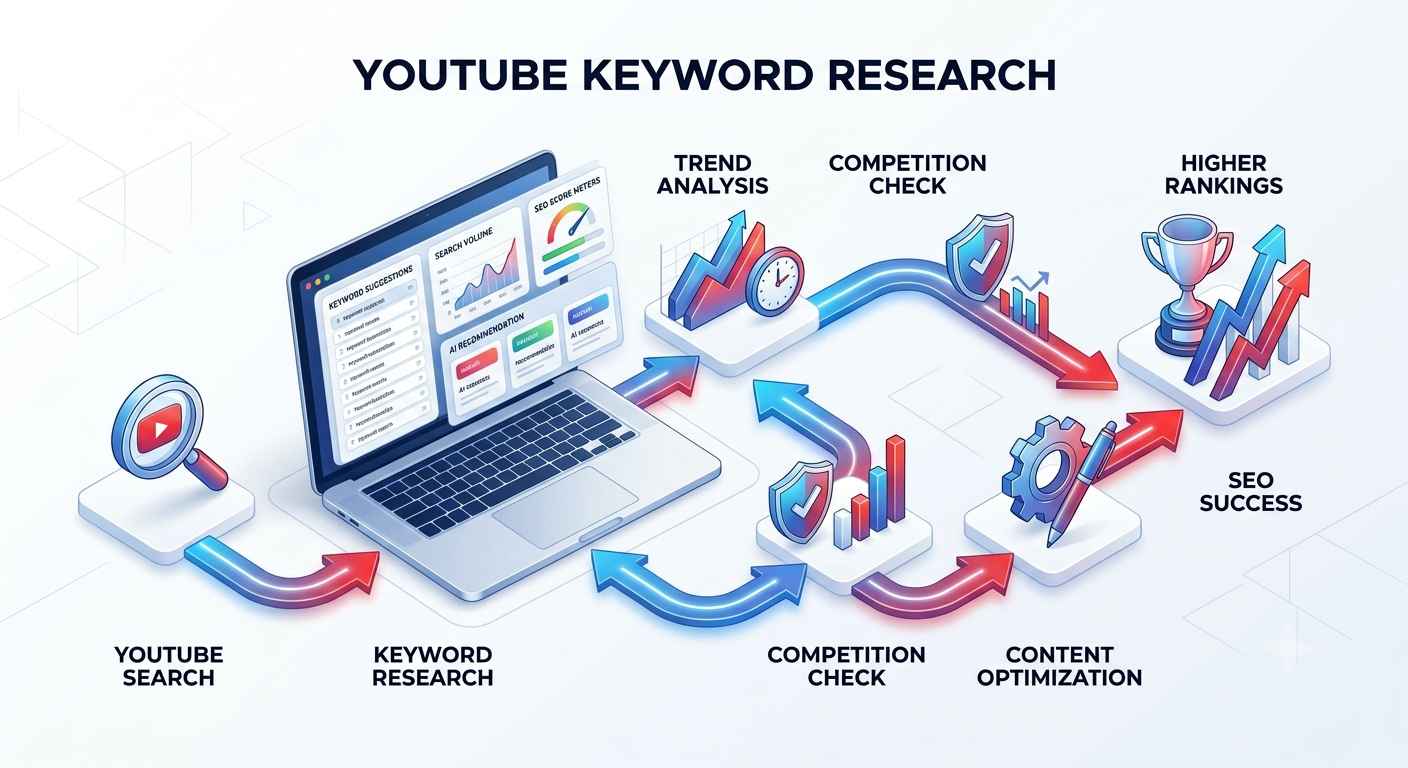
Best Free YouTube Keyword Research Tools 2026
You don’t need an expensive subscription to start ranking videos. Many successful creators begin with free keyword research tools and only upgrade once their channels generate consistent traffic. The key is knowing what each tool does well and where its limitations are.
Free tools often don’t provide perfect search volume estimates, but they excel at discovering search intent, trending topics, long-tail phrases, and content ideas. When several free tools point toward the same keyword opportunity, you can be confident that people are actively searching for it.
Another advantage is that combining multiple free tools often provides a broader perspective than relying on a single paid platform. One tool might identify trending searches, another can reveal user questions, and another may help organize keyword clusters. This layered approach is surprisingly effective for new creators working with limited budgets.
Google Trends
If you’re looking for one completely free tool that every YouTuber should use, Google Trends deserves the top spot.
Many creators mistakenly think Google Trends is only useful for blog SEO. In reality, it includes a dedicated YouTube Search filter that lets you analyze keyword popularity specifically on YouTube.
Instead of showing exact monthly search volume, Google Trends displays relative popularity over time. This helps you identify:
- Seasonal topics
- Rising search trends
- Declining keywords
- Geographic interest
- Related search queries
- Breakout topics
For example, if you compare:
- AI Video Generator
- AI Shorts Maker
- AI Video Editor
Google Trends can reveal which phrase is gaining momentum before competitors begin targeting it.
Why Use Google Trends?
Pros
- Completely free
- Excellent for trend analysis
- Great geographic insights
- Helps validate content ideas
- Supports YouTube-specific search
Cons
- Doesn’t provide exact search volume
- No keyword difficulty score
- Limited competitor analysis
Expert Tip
Before producing a video, compare three or four title ideas in Google Trends. Sometimes changing just one keyword can significantly improve long-term discoverability.
YouTube Search Suggestions (Autocomplete)
One of the most underrated keyword research methods is simply using YouTube itself.
Start typing a keyword into the YouTube search bar, and YouTube instantly suggests popular searches based on real user behavior.
For example, entering:
YouTube SEO
may generate suggestions such as:
- YouTube SEO for beginners
- YouTube SEO tips
- YouTube SEO 2026
- YouTube SEO tutorial
- YouTube SEO checklist
- YouTube SEO strategy
These suggestions are valuable because they reflect what users are actively searching for—not random guesses.
Best Uses
- Discover long-tail keywords
- Find beginner-friendly topics
- Generate video title ideas
- Build content clusters
- Identify search intent
Limitation
Autocomplete doesn’t reveal:
- Search volume
- Keyword competition
- Ranking difficulty
Even so, it’s one of the fastest ways to uncover content ideas directly from YouTube’s own search ecosystem.
Google Keyword Planner
Although designed for advertisers, Google Keyword Planner can still provide valuable insights for YouTube creators.
Many YouTube searches overlap with Google searches, especially for educational, tutorial, technology, finance, health, and software-related content.
You can use Google Keyword Planner to:
- Discover related keyword ideas
- Estimate search demand
- Build topic clusters
- Explore commercial intent
- Identify seasonal trends
Best For
- Educational channels
- Product reviews
- Tutorial videos
- Business channels
- Evergreen content
Drawbacks
Since the tool focuses on Google Ads, the search volume doesn’t perfectly represent YouTube searches. It’s best used alongside YouTube-focused tools rather than as a standalone solution.
AnswerThePublic
AnswerThePublic transforms a single keyword into dozens—even hundreds—of real questions people ask online.
Instead of only suggesting keywords, it organizes searches into categories such as:
- What
- Why
- When
- How
- Can
- Which
- Where
If your keyword is:
YouTube keywords
You might uncover questions like:
- How do I find YouTube keywords?
- Which YouTube keyword tool is best?
- Can YouTube tags improve rankings?
- Why aren’t my videos ranking?
These question-based keywords are perfect for:
- Tutorial videos
- FAQ content
- Educational channels
- Shorts ideas
- Blog articles supporting your videos
The tool is particularly useful because YouTube increasingly rewards content that directly answers user intent.
ChatGPT
AI has changed keyword research dramatically, and ChatGPT has become an excellent brainstorming partner for YouTube creators.
While it doesn’t replace dedicated SEO software with live search volume data, it can help generate:
- Long-tail keyword ideas
- Topic clusters
- Video title variations
- Description outlines
- Content calendars
- Frequently asked questions
- Search intent groupings
For example, instead of asking:
“Give me YouTube keywords”
try prompting:
“Generate 100 low-competition long-tail YouTube keywords about AI video editing for beginners.”
The results are far more targeted and useful.
Best Uses
- Content planning
- Topic expansion
- Keyword clustering
- Video scripting
- SEO-friendly titles
- Description writing
Limitation
Always validate AI-generated keyword ideas using real keyword tools before building an entire content strategy around them.
Expert Tips Box
Professional creators rarely depend on one keyword tool.
A common workflow looks like this:
- Discover ideas with YouTube Autocomplete.
- Validate trends using Google Trends.
- Expand questions using AnswerThePublic.
- Organize topics with ChatGPT.
- Confirm competition using TubeBuddy or VidIQ.
This combination offers better insights than relying on a single platform.
Step-by-Step Tutorial: Finding YouTube Keywords for Free
- Open YouTube and type your topic into the search bar.
- Record every autocomplete suggestion.
- Check each keyword in Google Trends using the YouTube Search filter.
- Use AnswerThePublic to discover related questions.
- Ask ChatGPT to generate additional long-tail variations.
- Group similar keywords into content clusters.
- Select one primary keyword and two or three supporting keywords.
- Optimize your title, description, chapters, and tags around those keywords.
- Publish consistently and monitor performance in YouTube Analytics.
- Update older videos if new keyword opportunities emerge.
Quick Checklist Before Publishing a Video
- Primary keyword included in the title
- Keyword naturally used in the first paragraph of the description
- Related keywords added throughout the description
- Custom thumbnail matches the search intent
- Chapters include keyword variations
- Tags contain relevant supporting terms
- Spoken keywords appear naturally in the video
- Captions enabled
- End screen and cards added
- Playlist selected for better topical relevance
Pro Tips Box
- Target long-tail keywords instead of highly competitive broad terms.
- Create multiple videos around the same topic cluster to build topical authority.
- Refresh older videos with improved titles and descriptions.
- Focus on solving one specific problem per video.
- Study your competitors—but create more useful, updated, and engaging content rather than copying them.
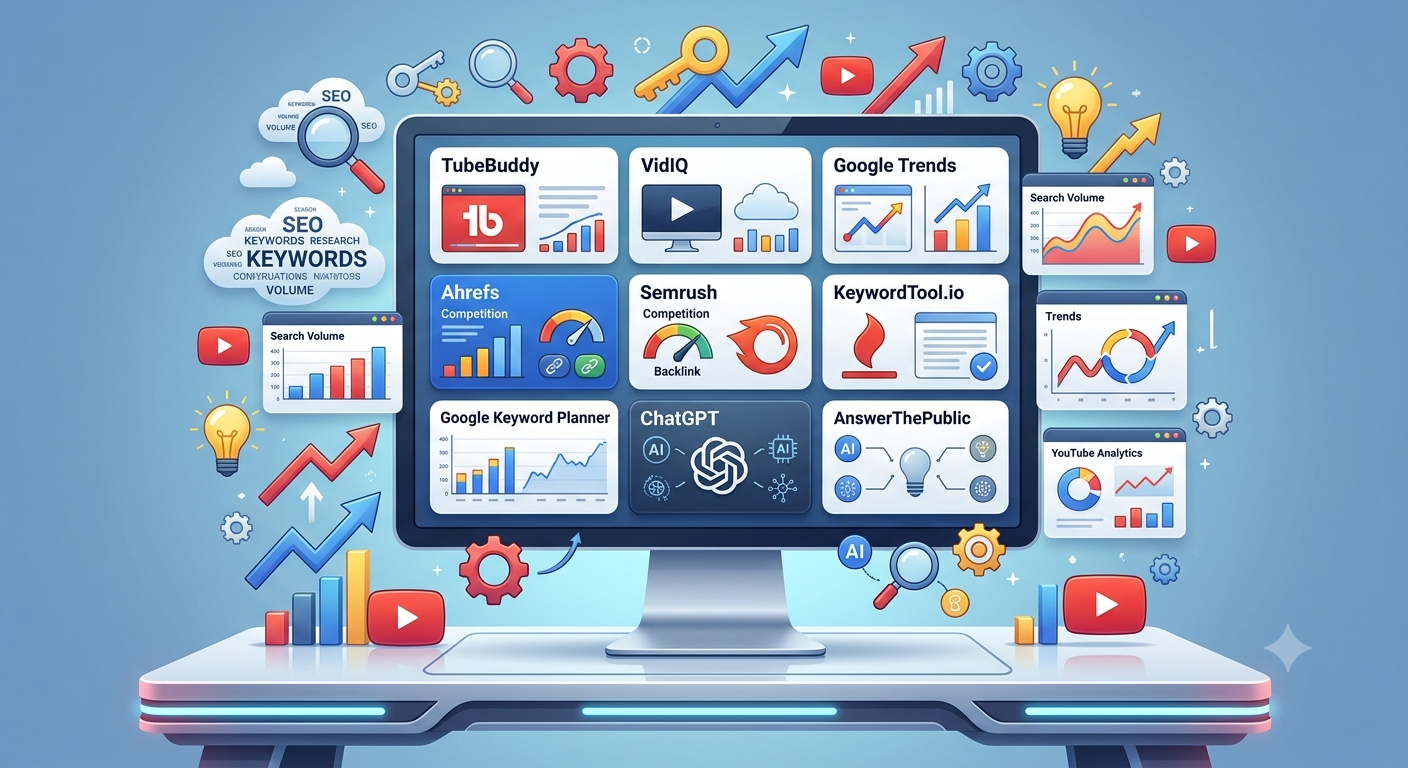
Best Paid YouTube Keyword Research Tools
Free tools are excellent for getting started, but as your channel grows, you’ll eventually need deeper insights than autocomplete suggestions and trend graphs can provide. Paid YouTube SEO tools help you make smarter decisions by estimating search volume, measuring keyword competition, tracking rankings, analyzing competitors, and identifying content opportunities before they become saturated.
For creators who publish consistently, the right premium tool can save hours of research every week while increasing the chances of ranking for valuable search terms. Instead of guessing which topic might perform well, you can rely on real data to prioritize content that has the highest potential.
Below are the leading premium YouTube keyword research tools in 2026.
TubeBuddy
TubeBuddy remains one of the most popular browser extensions for YouTube creators because it integrates directly with YouTube Studio and provides SEO insights without requiring a separate dashboard.
Its standout feature is the Keyword Explorer, which evaluates keywords based on search demand and competition while generating an overall opportunity score. This makes it particularly useful for beginners who want straightforward guidance without interpreting dozens of metrics.
Key Features
- Keyword Explorer
- SEO score
- Tag suggestions
- A/B thumbnail testing
- Title optimization
- Bulk processing tools
- Competitor analysis
- Video optimization checklist
Best For
- Beginner creators
- Growing channels
- Individual creators
- Small businesses
Advantages
- Easy to understand
- Excellent browser extension
- Great keyword scoring
- Strong workflow integration
Limitations
- Advanced analytics require higher plans.
- Keyword estimates are directional rather than exact.
VidIQ
VidIQ has evolved into one of the strongest AI-powered YouTube growth platforms available today.
Instead of focusing only on keywords, VidIQ helps creators discover trending topics, identify content gaps, and generate AI-assisted video ideas based on audience demand.
Its daily personalized recommendations make it especially valuable for creators who publish multiple videos every week.
Key Features
- AI content ideas
- Keyword research
- Competitor tracking
- Trend alerts
- Daily video suggestions
- Channel audits
- SEO scoring
- Performance tracking
Best For
- Consistent creators
- Shorts creators
- Agencies
- Professional YouTubers
Advantages
- Powerful AI recommendations
- Excellent competitor insights
- Frequent updates
- Strong trend discovery
Limitations
- Some advanced AI features require premium subscriptions.
- Beginners may initially feel overwhelmed by the number of available metrics.
Ahrefs
Although Ahrefs is traditionally known as an SEO platform, its keyword database also provides valuable YouTube insights.
It’s particularly useful for creators who combine YouTube marketing with blogging because it allows you to identify keywords that perform well across both Google and YouTube.
Best Features
- Massive keyword database
- Content gap analysis
- Competitor research
- SERP analysis
- Backlink research
- Content Explorer
Best For
- Businesses
- Bloggers with YouTube channels
- SEO professionals
- Agencies
Strengths
- Excellent data quality
- Industry-leading SEO features
- Powerful competitive analysis
Weaknesses
- Higher pricing
- Primarily designed for website SEO
Semrush
Semrush has become an all-in-one digital marketing platform that includes keyword research, competitor analysis, technical SEO, advertising research, and content optimization.
For YouTube creators managing websites, blogs, newsletters, and social media together, Semrush provides a complete marketing ecosystem.
Key Features
- Keyword Magic Tool
- Competitor analysis
- Topic research
- Position tracking
- Site audits
- AI writing assistance
- Marketing dashboards
Best For
- Agencies
- Businesses
- Marketing teams
- Enterprise creators
Advantages
- Huge keyword database
- Comprehensive reporting
- Excellent content planning
- Strong AI integration
Limitations
- Expensive for beginners
- More features than many YouTubers actually need
KeywordTool.io
KeywordTool.io specializes in extracting keyword suggestions directly from YouTube autocomplete.
It generates hundreds of long-tail keyword variations quickly, making it ideal for discovering niche opportunities that competitors often overlook.
Best Features
- Long-tail keyword generation
- Question-based keywords
- Multiple language support
- Location targeting
- Fast keyword expansion
Best For
- Niche creators
- Affiliate marketers
- Bloggers
- International channels
Limitations
- Full search volume requires a paid plan.
- Limited analytics compared to all-in-one SEO suites.
Detailed Comparison Table
| Tool | Free Plan | Search Volume | Competition Score | AI Features | Browser Extension | Best For |
|---|---|---|---|---|---|---|
| TubeBuddy | Yes | Yes | Yes | Limited | Yes | Beginners |
| VidIQ | Yes | Yes | Yes | Excellent | Yes | Growing Channels |
| Ahrefs | Limited | Yes | Yes | Moderate | No | SEO Professionals |
| Semrush | Trial | Yes | Yes | Strong | No | Businesses |
| KeywordTool.io | Limited | Paid | Paid | Basic | No | Long-tail Research |
| Google Trends | Yes | Relative | No | No | No | Trend Analysis |
| ChatGPT | Yes | No | No | Excellent | No | Content Planning |
Pricing Comparison
| Tool | Starting Price |
|---|---|
| Google Trends | Free |
| YouTube Autocomplete | Free |
| ChatGPT | Free & Paid |
| TubeBuddy | Affordable monthly plans |
| VidIQ | Affordable monthly plans |
| KeywordTool.io | Mid-range |
| Ahrefs | Premium |
| Semrush | Premium |
Prices change over time, so always check the official websites before purchasing.
TubeBuddy vs VidIQ
This is one of the biggest questions creators ask.
| Feature | TubeBuddy | VidIQ |
|---|---|---|
| Keyword Research | Excellent | Excellent |
| AI Suggestions | Good | Outstanding |
| Browser Extension | Yes | Yes |
| SEO Optimization | Excellent | Excellent |
| Competitor Analysis | Good | Excellent |
| Daily Recommendations | Basic | Advanced |
| Beginner Friendly | ⭐⭐⭐⭐⭐ | ⭐⭐⭐⭐☆ |
| AI Content Ideas | Good | Excellent |
Which Should You Choose?
Choose TubeBuddy if you:
- Want straightforward keyword optimization
- Prefer a simple interface
- Are just starting your YouTube journey
Choose VidIQ if you:
- Upload videos frequently
- Want AI-generated content ideas
- Need competitor tracking
- Plan to scale your channel aggressively
Best Free Keyword Research Tool for Beginners
If you’re just starting, you don’t need to spend money immediately.
An excellent free workflow is:
- YouTube Search Suggestions
- Google Trends
- ChatGPT
- AnswerThePublic
This combination provides enough keyword ideas to build a solid content strategy without any subscription costs.
Best Premium Keyword Research Tool for Professionals
For creators publishing several videos every week or managing multiple channels:
- VidIQ offers the strongest AI-assisted workflow and content recommendations.
- TubeBuddy excels in video optimization and SEO implementation.
- Semrush is ideal if your YouTube strategy is part of a larger digital marketing campaign.
- Ahrefs is perfect for businesses combining YouTube with website SEO.
Pros and Cons Table
| Tool | Pros | Cons |
|---|---|---|
| TubeBuddy | Easy SEO optimization | Limited advanced analytics |
| VidIQ | Excellent AI tools | Premium features cost more |
| Ahrefs | Powerful SEO database | Expensive |
| Semrush | Complete marketing platform | Complex for beginners |
| KeywordTool.io | Great long-tail ideas | Limited free version |
| Google Trends | Completely free | No exact search volume |
| ChatGPT | Fast idea generation | Needs keyword validation |
Real-Life Example
Imagine a new creator planning a video about CapCut video editing.
Instead of targeting the highly competitive keyword:
CapCut
they research and discover these opportunities:
- CapCut tutorial for beginners
- CapCut AI video editing
- CapCut cinematic editing tutorial
- CapCut auto captions tutorial
- How to edit YouTube Shorts in CapCut
By targeting these long-tail keywords about CapCut, the creator faces less competition while reaching viewers with clear search intent. Over time, ranking for several specific searches often generates more sustainable traffic than trying to rank for one extremely broad keyword.
Mini Case Study
A small educational channel uploaded weekly videos but struggled to gain traction. After implementing a keyword-focused workflow—using Google Trends to identify rising topics, ChatGPT to expand keyword clusters, and TubeBuddy to optimize titles and descriptions—they shifted from broad topics to long-tail searches.
Within a few months, their videos began appearing more frequently in YouTube Search and Suggested Videos. Organic impressions increased, click-through rates improved thanks to more targeted titles, and overall watch time grew because viewers were finding exactly the content they were looking for.
The biggest lesson wasn’t that they found a “magic tool”—it was that consistent keyword research combined with valuable content produced better long-term results.
How to Find Low-Competition YouTube Keywords?
If you’re a new or growing creator, targeting broad keywords like “YouTube SEO” or “Video Editing” is rarely the best strategy. These terms are dominated by established channels with millions of subscribers and years of authority. Instead, your goal should be to identify low-competition, high-intent keywords that give your content a realistic chance to rank.
Start by typing your main topic into YouTube Search and noting the autocomplete suggestions. Then, validate those ideas using Google Trends and a keyword tool like TubeBuddy or VidIQ. Look for phrases that are more specific, such as “YouTube SEO for beginners 2026” instead of just “YouTube SEO.” These long-tail keywords often have fewer competing videos while still attracting highly targeted viewers.
Another useful technique is competitor analysis. Study smaller channels (not just the biggest creators) that consistently rank for niche topics. Analyze their titles, descriptions, and recurring keyword patterns. If several channels with fewer than 50,000 subscribers are ranking for a keyword, it’s usually a good sign that the competition is manageable.
Finally, think about user intent. Ask yourself: What exact problem is someone trying to solve? The more specific your answer, the better your keyword choice is likely to be.
How to Find High Search Volume YouTube Keywords?
High search volume YouTube keywords can drive significant traffic, but they should be approached strategically. Instead of choosing the biggest keyword available, look for terms with strong demand and reasonable competition.
A practical workflow includes:
- Brainstorm your main topic.
- Check YouTube Autocomplete for search suggestions.
- Compare related phrases in Google Trends.
- Use TubeBuddy or VidIQ to estimate search demand.
- Select keywords that balance popularity with ranking potential.
For example, instead of targeting “AI tools,” consider “Best AI tools for YouTube creators” or “Free AI video editing tools.” These variations often attract a more focused audience and improve your chances of ranking.
Remember that search volume alone doesn’t guarantee success. A keyword with moderate volume and low competition can outperform a highly competitive keyword over the long term.
How to Find Trending YouTube Keywords?
Trending keywords help creators capitalize on current audience interest. However, trends move quickly, so timing is critical.
Some of the best ways to identify trends include:
- Google Trends (YouTube Search filter)
- YouTube Explore page
- YouTube Search Suggestions
- Industry news
- Social media conversations
- Competitor uploads
When you notice a topic gaining momentum, create your content as early as possible while ensuring it provides genuine value. Avoid chasing every trend—focus only on those that align with your niche and audience.
How to Use Google Trends for YouTube SEO?
Google Trends is one of the most underused resources for YouTube creators.
Here’s a simple workflow:
- Visit Google Trends.
- Enter your primary keyword.
- Change the search type to YouTube Search.
- Compare multiple keyword variations.
- Review interest over time.
- Check geographic popularity.
- Explore related topics and breakout searches.
Suppose you’re deciding between:
- AI Thumbnail Maker
- AI Thumbnail Generator
- AI Thumbnail Creator
Google Trends can reveal which phrase is gaining momentum, helping you choose the keyword with the best future potential.
Use this data to refine your video titles, descriptions, thumbnails, and content calendar.
Common YouTube Keyword Research Mistakes
Many creators unknowingly hurt their rankings by making avoidable mistakes.
Common Mistakes Box
- Targeting only broad, highly competitive keywords.
- Ignoring search intent.
- Stuffing keywords unnaturally into titles and descriptions.
- Copying competitors word for word.
- Never updating old videos.
- Publishing without researching audience demand.
- Ignoring YouTube Analytics.
- Using irrelevant tags.
- Chasing trends unrelated to the channel.
- Focusing only on search volume while ignoring competition.
Avoiding these mistakes will improve not only your rankings but also your audience satisfaction.
Best Practices for YouTube Keyword Research
A strong keyword strategy should become part of your content creation process—not an afterthought.
Actionable Checklist
- Research keywords before recording.
- Target one primary keyword per video.
- Include supporting keywords naturally.
- Match your thumbnail with search intent.
- Use descriptive file names when possible.
- Add chapters with relevant keywords.
- Review analytics regularly.
- Refresh older content with updated SEO.
- Build topic clusters instead of isolated videos.
- Focus on solving real viewer problems.
Consistency is far more valuable than chasing occasional viral success.
A YouTube Keyword Strategy That Actually Works
Successful YouTube SEO is about building authority around a topic rather than relying on individual videos.
For example, if your niche is YouTube growth, create a content cluster like this:
- Best YouTube Keyword Research Tools
- How to Find YouTube Keywords
- YouTube SEO Checklist
- TubeBuddy Tutorial
- VidIQ Tutorial
- YouTube Tags Guide
- YouTube Analytics Explained
- How to Rank YouTube Videos
Each video supports the others, helping YouTube recognize your channel as an authority on the subject. Over time, this increases your visibility in both Search and Suggested Videos.
How AI Is Changing YouTube SEO?
Artificial intelligence is transforming every stage of YouTube content creation. AI tools can now assist with keyword brainstorming, title generation, script outlines, thumbnail ideas, and content optimization.
That said, AI should support your creativity—not replace it.
The most successful creators use AI to:
- Generate keyword ideas.
- Organize topic clusters.
- Improve titles and descriptions.
- Analyze competitors.
- Brainstorm new content angles.
Human experience, storytelling, and originality remain the factors that keep viewers watching. AI can help you discover opportunities, but your expertise and personality are what build long-term audience trust.
Bottom Lines
Keyword research is no longer optional for YouTube creators who want consistent growth on YouTube. While compelling videos, engaging thumbnails, and strong editing all contribute to success, they work best when paired with a thoughtful SEO strategy. By understanding what your audience is searching for before you create your content, you dramatically improve your chances of being discovered by the right viewers.
The best approach is rarely to rely on a single tool. Instead, combine free resources like Google Trends, YouTube Search Suggestions, and ChatGPT with premium platforms such as TubeBuddy or VidIQ when your channel begins to grow. This balanced workflow allows you to validate ideas, uncover low-competition opportunities, and optimize every video with confidence.
Remember that YouTube SEO is a long-term investment. Not every video will rank immediately, and not every keyword will become a hit. What matters most is publishing consistently, learning from your analytics, and continuously refining your strategy. Small improvements made over dozens of videos often produce far greater results than chasing one viral upload.
Start by researching your next video before writing the script. Build your content around genuine search intent, create videos that genuinely solve problems, and optimize them naturally. Over time, these habits will strengthen your channel’s authority, increase organic visibility, and help you grow a loyal audience without relying entirely on viral trends or paid promotion.
Frequently Asked Questions (FAQs)
1. What is the best YouTube keyword research tool?
TubeBuddy and VidIQ are among the most popular dedicated YouTube SEO tools, while Google Trends is an excellent free option.
2. Is TubeBuddy worth it?
Yes. It offers keyword research, SEO optimization, and productivity tools that can save creators significant time.
3. Is VidIQ free?
Yes, VidIQ offers a free plan with limited features and premium plans for advanced insights.
4. Can I rank YouTube videos without paid tools?
Absolutely. Many creators successfully use YouTube Search Suggestions, Google Trends, and YouTube Analytics.
5. Which tool shows YouTube search volume?
TubeBuddy, VidIQ, Ahrefs, and Semrush provide search volume estimates.
6. What is the best free YouTube SEO tool?
Google Trends combined with YouTube Search Suggestions is one of the strongest free combinations.
7. How often should I research keywords?
Research before every new video and review older content every few months.
8. Are AI keyword tools accurate?
They are useful for brainstorming but should be validated with dedicated keyword research tools.
9. How do beginners find YouTube keywords?
Start with YouTube Autocomplete, Google Trends, and competitor research.
10. Should I use long-tail keywords?
Yes. Long-tail keywords generally have lower competition and stronger search intent.
11. Are YouTube tags still important?
They have less impact than titles and descriptions but can still provide helpful context.
12. Can Google Keyword Planner help YouTube SEO?
Yes, especially for educational and evergreen topics, although it is designed for Google Search.
13. Does keyword stuffing improve rankings?
No. Natural optimization is far more effective and provides a better user experience.
14. Should I update old videos with new keywords?
Yes. Refreshing titles and descriptions can improve visibility over time.
15. What’s the biggest YouTube SEO mistake?
Publishing videos without researching what viewers are actually searching for.